An Introduction to NVSTly: Understanding the User Interfaces

Welcome to NVSTly, the premier social trading platform where you can follow, learn from, and interact with top traders in real-time. Whether you’re new to trading or an experienced investor, NVSTly provides a suite of tools to enhance your trading journey. Here’s an in-depth look at what NVSTly offers:
Trades Feed
The Trades Feed is the heartbeat of NVSTly, showcasing all trades submitted by traders. Trades are displayed in real-time for premium users and with a 15-minute delay for free users. Each time a trade is opened, averaged, trimmed/partially closed, or exited, it gets refreshed to the top of this list.
Each trade entry displays:
The trader’s name
Ticker being traded (with direction: long/short)
Options data (if applicable)
Current status
Opening price
Profit/loss statistics

You can expand each row to view any notes from the trader. Additionally, users can give +Rep or leave comments directly on these trade rows.
Submitting a New Trade
The New Trade interface is designed for submitting trades and modifying existing positions. This interface is your gateway to opening new trades, while the Active Positions tab lets you average, trim, partially close, or exit your open positions.
For a detailed guide, see Submit Trades.

Help Tip: Did you know you can auto-share your trades directly to Discord using webhooks and custom messages? Check out Discord Trade Sharing for more info. Support for X (previously Twitter) is coming back soon!
Active Positions
The Active Positions tab is your tool for updating trades. Here, you can:
Average up/down
Trim positions
Close trades
Add standalone notes to any open position
Help Tip: Adding or modifying TP/SL is done through the Trade Insight UI.

Push Notifications
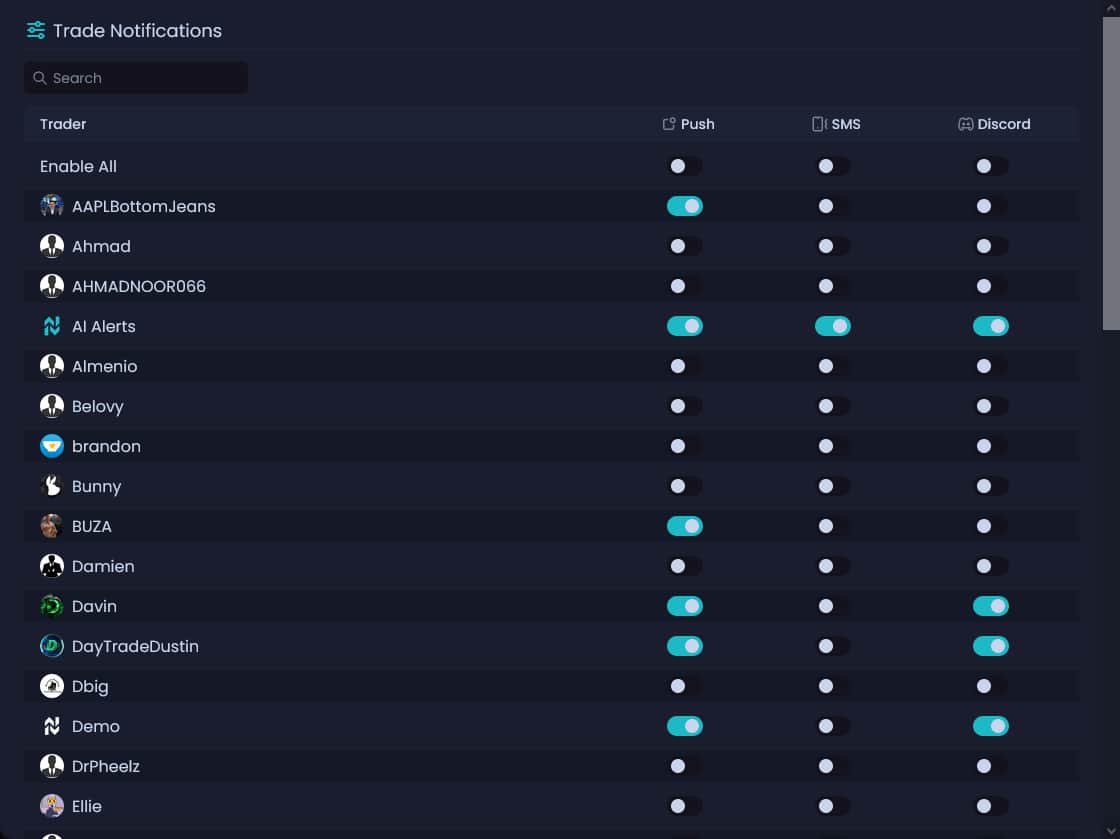
Stay updated with NVSTly’s push notifications. You can enable or disable notifications for:
Trades (customize for each trader you follow)
New followers
Reputation received
Social mentions (coming soon)
Customize these settings in your Account Settings under the Notifications section.
Trade Insight
Each trade has an individual interface displaying detailed data, including:
Position updates
TP/SL changes
Trader notes and media uploads
Ticker data
POV Charts, offering a trader’s perspective on chart trends and patterns
Access Trade Insight by clicking trade info on the Trades feed, trader Dashboards, or Ticker Info.

Help Tip: You can update positions and modify your TP/SL directly from this interface.
POV Charts
POV Charts provide a unique perspective on trade events by marking respective candlesticks on the chart. This feature grants viewers valuable insights into the trader’s observations of trends and patterns at each action point.

Leaderboards
The Leaderboards rank the top traders across all markets based on a scoring system that includes:
Total number of closed trades
Win rate
Average return
Traders need a minimum of seven trades for ranking eligibility.

Help Tip: The ranking formula may change to ensure fairness across different trading types.
Server-Only Leaderboards
Discord servers have their own leaderboards, ranking traders within their community. These leaderboards require traders to have a minimum of seven trades (for timeframes above Past Day).
Help Tip: Access server-only leaderboards using:
https://trd.ng/ranks?guild=server-id-herehttps://nvstly.com/ranks?guild=server-id-here
Dashboard
A trader’s Dashboard is a blend of their social profile and portfolio, displaying:
Latest trades
Trading performance stats
General info (join date, badges, reputation, bio)
Stats
Dashboard stats reflect all closed trades over the past 30 days by default, with options to filter by different time ranges.

Help Tip: Stats cannot be reset. We plan to add a feature for annual stat resets, with historical archives remaining publicly available.
Reputation
+Rep is our community karma system, similar to likes or upvotes. It’s a key stat for identifying top traders and active users.
Help Tip: You can only +Rep another trader once per day to prevent abuse.
Badges
Badges distinguish traders by their achievements and roles, such as:

Top Trader
High Win Rate
Tier 1-4 (Discord contributions)
OG
ELITE Analyst
Analyst
Developer
Staff
Founder
Settings
In Account Settings, you can configure:
Dashboard info
Social media links
Account and membership management
Notification preferences
Download Data
Download all your trade data and performance stats in .csv or spreadsheet format using this feature.
Ticker Info
Market Data Suite & Ticker Info user interfaces still under development
Each stock and cryptocurrency ticker has its own interactive interface with:
Charts
Statistical data
Analytic graphs
News
Latest trades
Access Ticker Info by clicking a ticker symbol anywhere in the app or using the top navbar search function.
Coming soon: Add tickers to your watchlists or set alerts.
Join NVSTly:
Website: nvstly.com
Mobile App: Available on Google Play and App Store
Discord Community: Join Now

