How create an Amazon FBA shipment outside Seller Central.
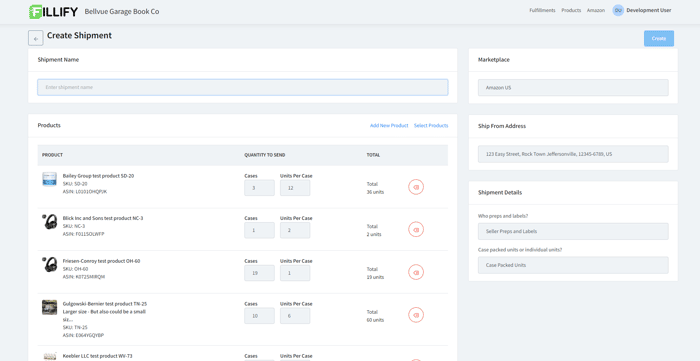
It's late June, and we have been hard at work at Fillify pounding down the coffee and crunching out code. We have heard from numerous Amazon sellers that creating FBA shipments inside of Seller Central has become a nightmare.
With the release of Fillify 1.10, we are excited to announce our new Create FBA Shipment feature!
Sellers can easily create a new Amazon FBA shipment inside of Fillify without having to log into Seller Central. Easily add products to a shipment by selecting them from your catalog, or even by uploading a spreadsheet. Fillify users can even simply scan a product UPC barcode to add it to an FBA shipment.
Case packed items and individual unit shipments can be created by Fillify. Sellers can even opt to have Amazon prep their items, and still create 2D box content labels which are required for all FBA shipments.
Try out the beta version of Fillify today and tell us what you think.
Click the link below and get started creating shipments and printing FBA labels for free!

Like your product's idea and how it saves time for Amazon sellers. Such posts gave me less than 5 signups, hope it goes better for you. Can help you get to 12K ARR in 3 months by nailing user acquisition and marketing, just DM me on Twitter.
Try out the beta version of Fillify today by clicking the invite link and creating a free account!
https://fillify.com/invite/BRANDONO406471