How I bootstrapped a productivity directory with zero code
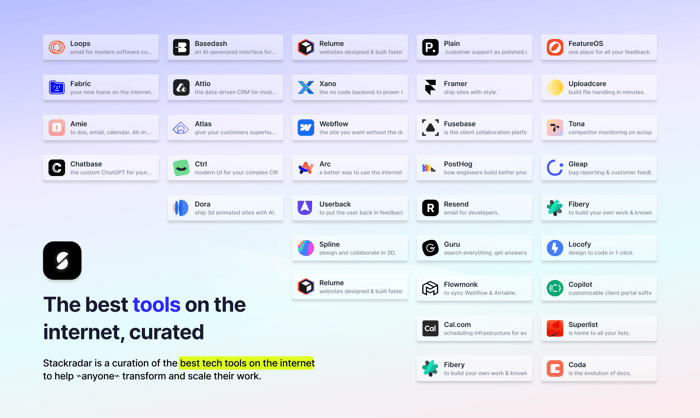
Hey Indie Hackers 👋 I’m Claudia, creator & founder of Stackradar.
I’m excited to be sharing this platform I’ve been cooking for the last year on Product Hunt 👀 As some of you may know, Stackradar is a directory of 400+ vetted tech tools and resources to help everyone discover & build game-changing tech stacks.
Solo I’ve managed to build, update, maintain and expand on features including:
🚀 400+ curated tools
👉 Hand-picked & published by humans (1 human but she works fast, swear)
🪩 Curated stacks by industry
🔮 Tech stacks shared by founders and startups
🎁 Free membership to save tools & share experiences
🗂️ Browse by category, price, integrations & more
👀 Tools regularly monitored & updated
✅ New tools added every week
We’re currently live and open for votes on Product Hunt. If you’ve found our resources helpful or have some spare time to share support, it would mean the 🌏 if you could give us a vote at the link in this post.
🛠️ Why I built Stackradar
There’s lots of incredible tools out there. But there’s too many, and I find sometimes I get so carried away trying out new stuff that I forget what I was ever trying to do in the first place.
But what spurred the creation of Stackradar was actually a conversation with my housemates (both business owners) in which they asked me what I meant by ‘Atlassian’. After that day I made a point to ask anyone & everyone (offline) if they knew what Atlassian was, or Notion, Intercom, Product Hunt… 8/10 people said no.
Since that fated ‘Atlassian’ day I’ve also noticed how often people — from small business owners to CEO’s and management teams — are choosing the wrong products, or outsourcing and spending money where it doesn’t need to be spent.
So I bootstrapped Stackradar to help ✨everyone✨ — from tech startups & indie makers to beauty salon owners & architects — learn, discover and build carefully curated & integrated stacks to transform, streamline and scale their work.
🌏 Democratizing digital transformation
95% of the tools on StackRadar require zero coding or development experience, meaning anyone can configure and build solutions to break through bottlenecks, 10x productivity and open doors to scale you never thought possible.
I know this is possible because 2 years ago I’d never built a website in my life, let alone a community and directory.
2 years ago I’d never built a website in my life
But then I got started with Webflow, and it all snowballed from there. Coming from a design background (and believing I didn’t have a technical bone in my body) I’m consistently blown away with how progressively accessible the world of no-code has become.
I’ve worked with startups for a few years — I manage a yearly startup conference here in Australia, and I’ve seen too many people with incredible ideas lose out on funding or exposure because they didn’t have the resources to develop an MVP.
I’m here to say that the resources are there, and the possibilities have become endless. Stackradar took me a while to develop because I was learning how to do everything as I went, but to test my skills I recently replicated the build to see how long it would have taken me had I known how to go about it from day one.
How long did it take me?
One day.
🗂️ The CMS
Every bit of content you see on Stackradar is created and updated in Airtable, then replicated in Webflow’s native CMS. Categories, stacks, resources and price filters are all their own ‘tables’ or ‘data sets’ that interlink with one another.
When I find a new tool, I add it to a separate dataset called ‘Staging’. This then triggers an API call to URLbox which takes a screenshot of the products homepage. I check the screenshot, sometimes I re-do it myself, or if the company has a press kit I’ll find that and use their content from there. I then use a script I added to my Airtable base to compress the webp’s to optimise site performance using TinyPNG’s API, you can see how here.
I don’t use AI to scrape and write any of the information about the products, I write it all myself — taking info from the products’ various marketing pages and ‘about’ sections. Yes, it’s time-consuming. But in the age of AI, authenticity is everything.
Once I’m happy with the draft, I click a button set up in my Airtable interface that triggers an automation to duplicate the record cell for cell in the live data set.
🛠️ The Backend
Once added to the live data, Whalesync picks up on the new record and duplicates that into the actual Webflow CMS. Whalesync monitors and updates any changes between Webflow & Airtable and updates accordingly. It’s an awesome tool.
The entire search engine is powered by Jetboost, it’s incredibly user-friendly and easy to configure. It powers the search page and the ‘save/like’ feature on each tool for logged-in users (TY Memberstack).
The reviews on each tool page is powered by Supersparks — special mention to Supersparks’ founder Ian Ruta. For one, the superpowers he’s built for Webflow in Supersparks are awesome tools with really competitive pricing. For two, he is a really talented and authentic founder. Before publishing the platform he was responding to my queries on the Supersparks’ set up within minutes, no matter the time of day. If you’re a Webflow builder, Supersparks offers a tonne of awesome features on top of ratings/reviews, like community Posting, comment Sections and a CMS Audio Player.
🎨 The Frontend
I’m a product designer by trade, so I spend half my life in Figma — and I couldn’t think of a better place to spend it. Originally the design system was built entirely from scratch. But I then discovered DesignCode UI, which I purchased and worked some of it into my existing design system. So it’s a combo of custom design and components from the very cool team over at Design+Code.
✅ Task Management
Task management tools are everywhere, but I’ve never found one that truly hits the mark for me. Currently I use both Airtable and Notion. While Airtable’s interfaces feature is certainly powerful, it’s missing some important features (it’s a spreadsheet app after all). Notion is 💯 but doesn’t have the same speed and capacity to manage, maintain and update the CMS like Airtable does.
I’m also big on UI in the tools I use, and Notion’s UI is one of the best. I use Whalesync again (told you they were cool) to sync tasks between Airtable and Notion. This allows me to create and action tasks linked to the CMS in Airtable but also take advantage of Notion’s powerful task management features and automations.
Linear has to be my favorite task management tool —it isn’t a fit for Stackradar‘s use case, but I wanted to give it a mention because I use it for everything else I do.
Because I’m always looking for ways to test no-code products and further my development skills, I’m now actually building my own task management system just for me to manage Stackradar and a few other projects I’m working on. It’s a work in progress, but I’ll be sure to detail this more fully once it’s done.
As a quick run-down, I’m using Xano as the backend, Webflow as the front-end and Wized as the middle-man. I’m planning to eventually do the same for the back and front-end of Stackradar, but I’ll be up-front and say there’s definitely a learning curve with that stack. As I’m learning to build with these tools I’m creating guides and resources to help other people in the no-code space master these tools, it’s an exciting space.
👥 User Experience
For my site analytics I use both Google Analytics, Search Console and Plausible (which is a great tool, highly recommend). I have a separate Airtable base where I quantify analytics and search console insights to try and identify user pain points & trends. But to be honest — as powerful as I know user data can be — I believe that for a smaller product/platform, the most powerful data you can get is from talking to your users.
I regularly engage the Stackradar community (powered by Memberstack) and ask them for feedback, I don’t use any templates when I chat to my users. I’m all for authenticity and paying attention to every person who gives their time to Stackradar (though I realise this is a privelage as a small platform, and isn’t always possible).
☎️ CX and Comms
I am a HUGE fan of Gleap, which powers both Stackradar’s User & Customer Experience. I will DIE ON THIS HILL. I currently use their chat, bug reporting and feature requests features, but plan to extend on this and use their AI support bot, help docs, knowledge base and other awesome features in the future.
For the massive set of features they offer their pricing is really competitive, starting at just $39 USD p/m for a massive set of features that other products are charging hundreds per week for (also use this link for 20% off — I realise this sounds like an ad but I genuinely love this tool)
I am also a big fan of Attio which I use to communicate with the people and companies behind the tools listed, as well as outreach to cool & interesting founders & creators to collaborate.
💸 Revenue
I don’t hide the fact that I use affiliate links, I’m affiliated with around 40% of the tools listed. But I choose products that I think have good, genuine value first, then if they have an affiliate program it’s a bonus. I also never allow bias into the tools I select to be featured in stacks, resources and marketing. I started Stackradar with genuine intent to help people access digital transformation, and I hold myself accountable to that (you can too).
📝 Quickread → Products Mentioned
Airtable
Webflow
URLBox
TinyPNG
Whalesync
Memberstack
Jetboost
Supersparks
Gleap
Figma
Design+Code
Notion
Linear
Wized
Xano
🚀 What’s next
As the Stackradar community has grown I’ve found myself surrounded by some really cool people with really cool ideas. With your help here’s some of what’s in the works:
🎁 deals & discounts
🤖 an AI form to assess your needs and curate your stack
📚 learning curve analysis & rating for each tool
📖 tool-specific guides & resources to help people discover AND learn how to take full advantage of every tool
✌️ Help me build Stackradar
Right now I own & operate Stackradar solo (I know there’s a lot to keep up with, fear not — I have a stellar stack that automates a lot), I only publish vetted products {{ no ads }}.
I’m keeping every aspect of Stackradar free for as long as I can, because not enough stuff is free anymore. To expand & build on Stackradar all feedback is welcomed, read & taken on board :)
Also welcome:
✅ Submit your products
🔮 Share your stacks
👋 Is your product listed? Let us know about any changes you’d like to make!
💬 Reach out, let’s chat — claudia@stackradar.co
Thanks for your support, always. Happy stacking 🚀
