How Optimizing Core Web Vitals Boosted Site Speed and User Experience
A Slow Website Was Quietly Killing My Client's SEO
I spent last weekend investigating why one of my client's websites had been losing traffic. Nothing obvious had changed—content was still being published, backlinks were stable, and rankings had gradually started slipping.
At first, I suspected algorithm updates or increased competition. But after digging into the technical side, the issue became much clearer.
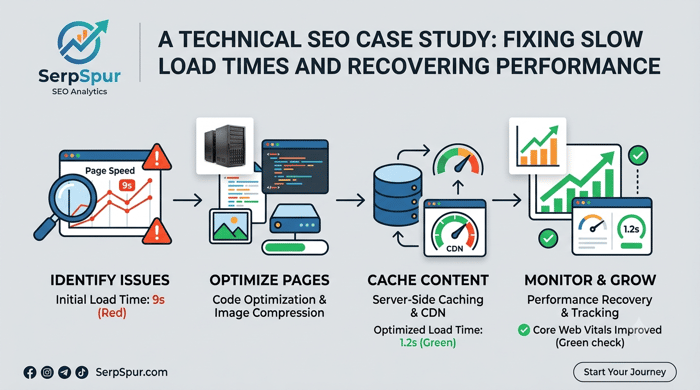
The site's Largest Contentful Paint (LCP) was taking more than 4 seconds. Images were oversized, caching wasn't configured properly, and server response times were slower than they should have been.
After addressing those problems, the improvements were immediate:
Largest Contentful Paint dropped from over 4 seconds to 2.1 seconds.
First Input Delay improved noticeably.
Overall page speed scores increased by roughly 30 points.
What stood out to me was how much technical performance influences SEO. We often spend hours thinking about content, keywords, and backlinks, but forget that user experience metrics are also part of the equation.
A slow website doesn't just frustrate visitors—it can quietly erode rankings over time.
This experience reminded me that technical SEO isn't just a checklist. Performance optimization can have a meaningful impact on both user engagement and search visibility.
I'm curious whether others have encountered similar issues. Have Core Web Vitals ever turned out to be the hidden reason behind declining traffic?

Core Web Vitals horror stories are everywhere, but the 4-second LCP is usually a symptom, not the cause. You fixed images and server response, but I'd bet the real culprit is render-blocking JavaScript or lazy-loading that's too aggressive. Next time, run Lighthouse in incognito with throttling to mimic real users, and check TBT (Total Blocking Time) alongside FID. Also, don't forget CLS—layout shifts silently tank rankings even when LCP looks fine. For a quick win, preload the hero image and use fetchpriority='high'. What hosting setup are you on? Often, moving to a CDN or upgrading PHP cuts server response time more than any image compression.
4s LCP is brutal, but you handled it well. My worst case was a news site with a 12s LCP because they were serving unoptimized 5MB hero images. Compressing to WebP and lazy-loading below-the-fold content brought it down to 1.8s. The ranking boost was noticeable within a month.
Nice turnaround—cutting LCP from 4s to 2.1s is solid. I had a similar horror story with a WooCommerce site where a bloated plugin was causing a 6s LCP. Turns out the product gallery slider was preloading every image. Removing it got us under 2.5s, and organic traffic recovered within two weeks.