I Added AI Live Chat to a WordPress Site — Here’s the Exact Setup I’d Use Again
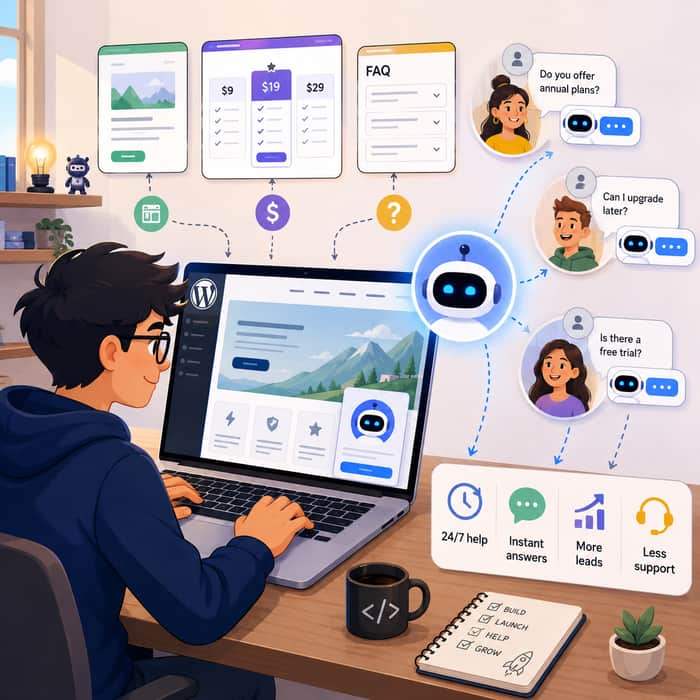
Most WordPress websites have the same silent problem:
Visitors land on the site.
They have a question.
They cannot find the answer quickly.
They leave.
No angry email.
No support ticket.
No feedback.
Just a lost visitor.
This is especially painful for indie founders, small SaaS teams, service businesses, course creators, agencies, and e-commerce stores. You spend time getting people to your site, but when they hesitate on the pricing page, checkout page, product page, or FAQ page, there is often nobody there to help.
That is where AI live chat starts to make sense.
I am not talking about a generic chatbot that says “I don’t understand” five times and annoys everyone.
I mean an AI chat widget trained on your own website content, FAQs, docs, pricing, policies, and support material, so it can answer real visitor questions instantly.
For a WordPress site, this can be one of the fastest ways to add 24/7 support without hiring a support team.
Why this matters
Traditional live chat works, but it has limits.
A human agent can only handle a few conversations at once. They have work hours. They need onboarding. They cost money. For small teams, that usually means live chat is either unavailable most of the day or handled inconsistently.
AI live chat changes the equation.
It can:
Answer common questions instantly
Help visitors before they leave
Qualify leads
Explain pricing or policies
Guide users to the right page
Reduce repetitive support work
Collect useful feedback from chat transcripts
The big win is not that AI replaces humans completely.
The win is that AI handles the questions humans should not have to answer 50 times per week.
Questions like:
“What is your refund policy?”
“Do you offer a free trial?”
“How long does shipping take?”
“Can this integrate with X?”
“Where can I find pricing?”
“Do you support WordPress?”
These are predictable questions. A well-trained bot can handle them.
Where AI live chat helps the most
I think AI chat is especially useful on high-intent pages.
For example:
Pricing pages
This is where people hesitate. They compare plans, wonder what is included, and look for reassurance before buying.
A good AI chatbot can answer plan questions immediately.
Checkout pages
If someone is about to buy but has a last-minute doubt about shipping, refunds, billing, or setup, instant answers can reduce abandonment.
Product pages
For e-commerce or SaaS sites, visitors often need clarification before they commit.
Service pages
Agencies, consultants, and local businesses can use chat to qualify leads and collect contact details.
Help docs
Instead of forcing users to search through dozens of articles, the bot can summarize the right answer.
The setup I’d use for WordPress
Here is the basic workflow I would follow.
- Create the AI chatbot
Use a platform that lets you create an AI agent and train it on your own business content.
For example, with YourGPT, you can create an AI chatbot and connect it to your website content, PDFs, FAQs, help docs, and product information.
The important part is that the chatbot should not answer from generic knowledge only. It should answer based on your actual business information.
- Train it on the right content
This step matters more than the widget itself.
You should upload or connect:
Website pages
Product pages
Pricing information
Refund policy
Shipping policy
FAQs
Support docs
Onboarding docs
Help center articles
Lead qualification questions
The better your knowledge base, the better the chatbot performs.
Bad input creates bad answers.
Outdated pricing, missing policy pages, or vague product descriptions will all create weak chatbot responses.
- Customize the chat experience
The chatbot should feel like part of your website, not a random third-party popup.
Customize:
Welcome message
Brand colors
Logo
Chat bubble style
Tone of voice
Fallback message
Human handoff message
For example, a casual SaaS site might use:
“Hey! Have a question about the product or pricing? I can help.”
A professional service business might use:
“Hi, I can help answer questions about our services, pricing, and booking process.”
Small detail, but it changes how visitors respond.
- Define what the bot should and should not do
This is where most people make mistakes.
Do not just install the chatbot and hope it behaves.
Give it clear rules.
For example:
Only answer using the provided knowledge base
Do not invent pricing
Do not make legal, medical, or financial promises
Escalate billing disputes to a human
Ask for an email when the visitor wants follow-up
Suggest booking a call when the user asks about custom plans
The chatbot needs boundaries.
A helpful bot builds trust.
A confident wrong bot destroys trust.
- Install the WordPress plugin
Once the chatbot is ready, install the WordPress plugin.
For YourGPT, the basic flow is:
Go to WordPress Admin
Open Plugins → Add New
Search for the YourGPT chatbot plugin
Install and activate it
Copy your Widget ID from the YourGPT dashboard
Paste it into the plugin settings
Save changes
After that, the chat widget can appear on your WordPress site.
- Test before going live
Do not skip this.
Ask the chatbot real questions your visitors would ask.
Test things like:
Pricing questions
Refund questions
Feature questions
Shipping questions
Account questions
Integration questions
“Can I talk to a human?”
Mobile responsiveness
Wrong or unclear questions
The goal is not perfection.
The goal is to catch obvious failures before real visitors do.
The part most people forget: maintenance
AI live chat is not “set it and forget it.”
Your business changes. Your pricing changes. Your policies change. Your product changes.
If the chatbot is trained on old information, it will give old answers.
A simple maintenance loop works well:
Review chat transcripts weekly
Look for unanswered questions
Add missing answers to your FAQ
Update outdated content
Improve weak responses
Check escalation failures
Test the bot after major site changes
The transcripts are actually one of the most valuable parts of the whole setup.
They show you what visitors are confused about.
If 30 people ask the same question, that is not just a support issue. That is a website copy issue.
Where this can create growth
The obvious benefit is support automation.
But the underrated benefit is conversion.
A chatbot can help recover visitors who are already interested but stuck.
Someone on your pricing page asking “Does this include team seats?” is not a cold visitor. That is a buying signal.
Someone asking “Can I integrate this with my CRM?” is not random traffic. That is intent.
Someone asking “Do you offer setup help?” may be ready to become a lead.
AI live chat gives those visitors a path forward instead of letting them disappear.
When I would not use AI live chat
AI chat is useful, but it is not right for every case.
I would be careful if:
Your product has complex edge cases
Your policies are not clearly documented
You deal with sensitive personal data
You cannot review transcripts regularly
You have no escalation path to a human
Your chatbot platform cannot restrict answers properly
The worst version of AI chat is a bot that blocks people from getting real help.
The best version is a bot that handles simple questions and knows when to step aside.
My practical recommendation
If you run a WordPress site and get repeat visitor questions, adding AI live chat is worth testing.
Start small.
Put it on:
Pricing page
FAQ page
Contact page
Product pages
Checkout or booking page
Train it on your existing content.
Then watch the transcripts.
You will quickly learn:
What visitors cannot find
Which objections block conversions
Which pages need better copy
Which questions should become FAQ entries
Which leads are worth routing to a human
For indie founders, that feedback loop is valuable.
The chatbot is not just a support tool. It becomes a live research layer on your website.
Final thought
Most websites are static.
Visitors arrive with dynamic questions, but the website gives them the same fixed pages.
AI live chat makes the website feel more responsive.
It does not need to replace your support team. It just needs to answer the obvious questions instantly, collect leads when relevant, and show you where your website is unclear.
For small teams, that is already a big win.
Curious how others are using this:
Have you tried AI live chat on your WordPress, SaaS, or e-commerce site?
Did it actually improve conversions or just create another thing to maintain?
