Tips for a modern and effective FAQ page
If you ask ChatGPT "how to build a FAQ page?" it will give you a pretty (old-fashioned) answer:
"[...]
- Gather Common Questions
[...] - Organize the Content
[...] - Design for Usability
[...] - Write Clear and Concise Answers
[...] - Enhance with Multimedia
[...] - Implement SEO Best Practices
[...] - Keep It Updated
[...] - Accessibility
[...] - Analytics
[...] - Integration with Support
[...]
Creating a modern FAQ page is about more than just answering common questions; it's about providing a user-friendly, accessible, and efficient way for users to find the information they need, enhancing their overall experience with your website or service."
Isn't it BORING and OLD-FASHIONED?! Of course, it's correct, but there is a better way...
I want to start exactly from here: "...it's about providing a user-friendly, accessible, and efficient way for users to find the information they need..."
THIS is why you have a FAQ page!
If you are the user and have some questions, what would be the BEST way for you to get an answer? Is it spending time looking to see if your question is in the FAQ or explained somewhere on the website?
What if you could ask directly to the website owner? The problem is that the owner can't possibly be available 24/7 to answer your questions... And you can't wait...
So, let's imagine if there was a replica of the website owner, always available and scalable, providing the right answer immediately to you. And you can ask anything you want about the website. Wouldn't it be awesome?"
This is a win-win:
- Users can get answers to any questions they have about the website.
- Owners can provide great service without actually spending time answering each question.
And to do so, you just need two things:
- Prepare the documentation with answers to all the questions you've received and those you think would be useful for the users.
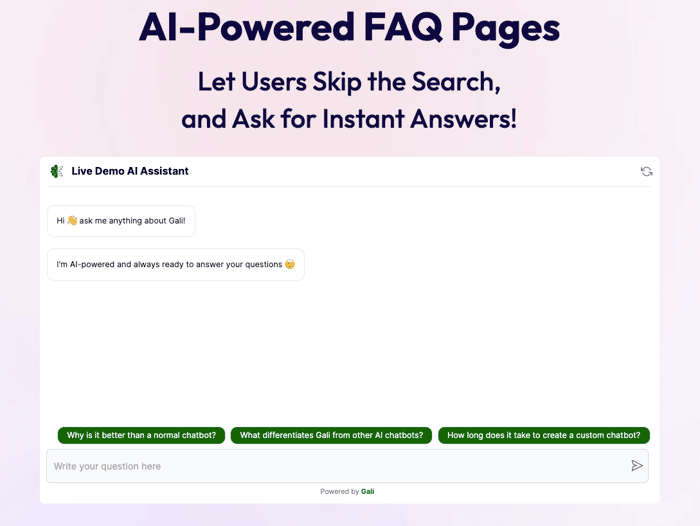
- A platform to create a custom AI assistant that can be added as a plug-and-play widget or chat directly on your website, like my product www.galiai.com.
After you add the AI agent to your website, visitors will start using it and you will start reading the questions they have–and can add new documentation for the questions that you didn't expect. BONUS: Learning what users are asking is a precious insight for your business and product development!
Of course, you can also add some FAQs and prepare them with the steps suggested by ChatGPT. But if you want to have a modern and effective FAQ page, then do yourself (and your users) a favor and integrate AI agents into it!
We added an AI agent as an iframe (i.e., an already-opened chat in the FAQ page), and got way more interesting questions than we could have imagined. [Here's the link if you're curious https://www.galiai.com/faq-ai-chatbot ]
To recap: it's great to have some FAQs, but it's time to step up and add some AI elements to provide better service and collect valuable insights!
Enjoy building :)
