Top Free Cross Browser Testing Tools in 2021
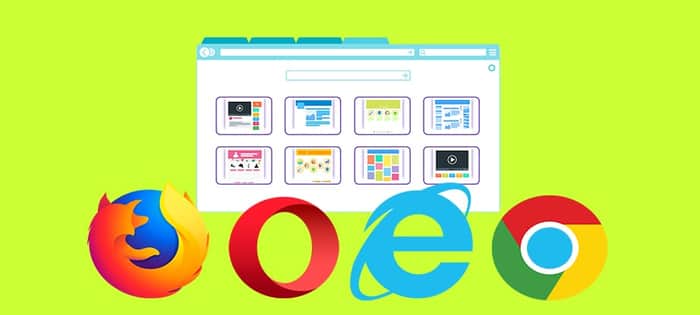
Cross browser testing as the word signifies is comparing the state of your application in different or cross-browser environments and browser versions. It ensures that our application is consistent and delivers an optimal user experience independent of the browser the end-user is using. A website is a combination of multiple web technologies such as HTML, CSS, JavaScript etc and they combine together to give a complete website look. The purpose of cross browser testing is to provide consistent behavior and experience across all browsers, devices, and platforms. With such a wide range of browsers, devices, and operating systems available today, cross-browser testing is a crucial part of developing software. As numerous cross-browser testing tools are present in the market, let’s look up at the top tools available to us in the below article:-
- LambdaTest
LambdaTest is a cloud-based platform that can ease your cross-browser testing work by providing access to 2000+ browser support in one go. Users can choose from a wide range of Android and IOS mobile devices from legacy to all latest versions. Automated screenshot testing through LambdaTest can help in capturing bulk screenshots through different desktop and mobile devices which are running on various OS. Up to 25 screenshots can be captured on different configurations of browsers and OS in one single session which can be shared with your team simultaneously.
LambdaTest also offers a mobile-specific browser to test for responsiveness. The browser is called LT Browser and comes with in-built super capabilities such as smart-scroll, sharing the screenshot, marking bugs etc.
Key Features:-
- Users can run Selenium automation tests on a scalable Selenium grid having 2000+ browser environments and its different versions.
- Capability to perform an automated screenshot and responsive testing.
- SSH tunnel to test your locally or private hosted website.
- Collaboration with different bug tracking tools like JIRA, Bitbucket and many more to perform one-click bug logging.
- Users can check responsiveness on all screen sizes.
- Testcomplete
TestComplete is a one-stop solution to perform automated UI testing. It comes with an intelligent object repository that supports over 500 controls that will ensure your tests are maintainable and scalable at the same time. It covers both desktop and mobile testing. A wide range of desktop applications built on .Net, java, WPF etc is covered. Also, create and automate functional UI tests on physical or virtual iOS and Android devices. The whole testing cycle can be performed with this tool like GIT, JIRA, Jenkins and many more. Users can choose from multiple programming languages such as Javascript and Python or the record & replay function is also available to ease your task in creating automated UI tests. Click here for check more info about RusVPN.
Key Features:-
- TestComplete is a UI functional test automation tool that users can use to create and run tests on any web application.
- User can run tests in parallel across 2000+ real environments, all without any infrastructure setup and cost
- Real-time access to all latest and legacy devices, browsers and their different versions.
- Testingbot
Testingbot has over 8 years of expertise in in-app and browser testing. It is used by some world’s famous organizations like Microsoft, Disney and many more. Users have the facility to run more than six million automated and live tests through TestingBot. It has provided one of the first cloud-based selenium, Appium and Cyprus grids. User has access to over 2700 browsers & physical devices which can be used instantly for live and automation testing.
Key Features:-
- Built with precaution and high concurrency in mind.
- Users can get a video, screenshot and also logs for each test run.
- Supports major browsers like Chrome, Firefox, IE etc.
- CrossBrowserTesting
It is the only Web testing platform built for an entire testing process. Users can run millions of tests on their real desktop and mobile browsers with 2050+ different configurations. Also debugging, test reporting, integration with CI/CD tools and automated screenshot testing can be performed using this platform. Users can run their Selenium or Appium code easily in the cloud. Entire apps can be accessed from the command line by consuming their REST API. It is trusted and used by renowned companies like Accenture, Expedia , Geico and many more.
Key Features:-
- Full access to all developer tools like Chrome dev and firebug.
- The full page screenshot option is also available.
- Record and Replay feature is also given on this platform to run automated tests with minimum programming knowledge.
- Test Project
The platform was started back in 2015. The aim was to create a powerful and collaborative space that would help the automation community face day to day challenges easily and deliver flawless products in the market. It’s a free forever solution with the goal of providing an E2E solution to the maximum community of users possible. It enables community people to share their work and findings in a way that helps to accelerate the success of every member involved.
The tool was voted as number 1 in Gartner’s 2020 Peer Insights Customer’s Choice Awards.
Key Features:-
- Easy configuration and setup.
- Minimum coding skills required to create and run your test suite.
- The test reporting feature is also provided with the tool to get detailed information.
- Integration with all major CI/CD tools.
- It also shows 30 days execution history.
Conclusion
Here in this post, I have covered the most famous cross-browser compatibility tools to be followed in 2021. Hope this post will help you in choosing the right tool for your application. If you are aware or have used any other tool apart from this then do let us know in the comment section . Would really appreciate your participation and contribution here .
Resource: https://livinggossip.com/10-free-cross-browser-testing-tools-in-2021/
