Voice to Text for Students: How to Take Easy Class Notes
Taking notes in class is hard. Your hand gets tired after just 10 minutes of writing. You miss out on hearing the teacher's important points because you're busy writing. Sometimes you can't read your messy handwriting when you study later! Many students feel stressed during class because they can't take notes.
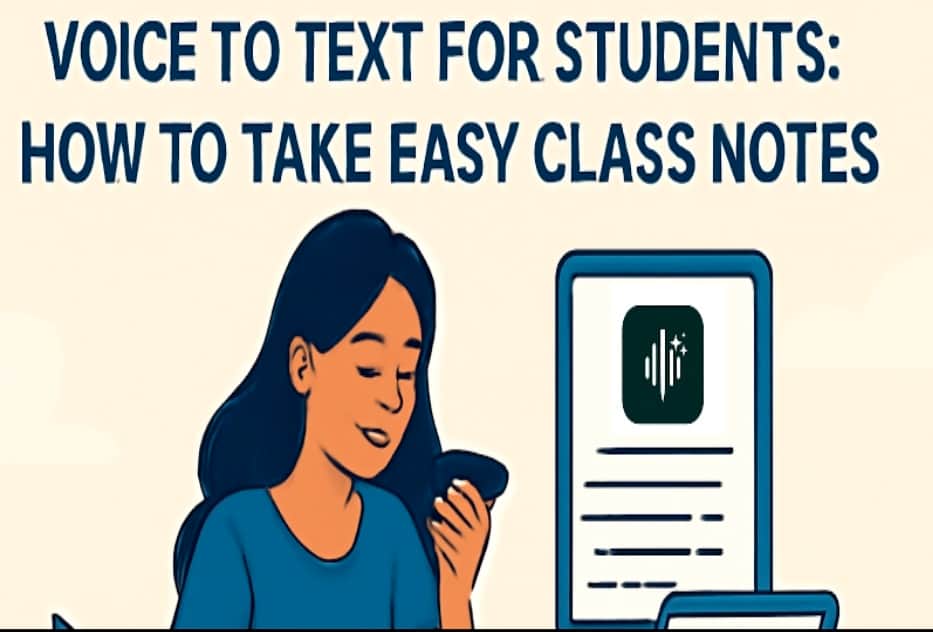
In such a situation, students can take the help of voice to note apps, which are a fast and easy way to take notes. These smart apps listen to your voice and write everything down for you. You can focus on studying while the app does all the writing.
According to recent statistics from a research study by the University of Chicago, more than 60% of students in the United States have started using voice-to-text apps to take notes. Thousands of students are already using this easy method to get better grades and feel less stressed in class
What Is Voice to Text and How Does It Work?
Voice-to-text is like having a friend who writes down Everything you say. You talk into your phone or computer. The app listens. Then it writes your words on the screen.
Here is how it works:
You talk into your phone
The phone listens to you
The app turns your voice into words
The words show up on your screen
These apps are brilliant. They know many words. They can understand different ways people talk. The best apps get 95 out of 100 words right!
5 Easy Tips for Taking Smart Class Notes with Voice-to-Text
Now that you understand why voice-to-text is beneficial for students, let's learn how to utilise it effectively. These five simple tips will help you take the best notes possible. Follow these steps, and you will become more proficient at taking notes every day.
Many students see significant improvements in just one week! Teachers are also using voice to notes apps in their classrooms to help students learn better - you can read more about how educators use voice to text tools to make learning easier for everyone.
1. Sit in a Quiet Spot
Find a seat away from loud things. Avoid sitting near the air conditioner, noisy children, or the door. The quieter it is, the better your app will hear you.
2. Don't Try to Say Everything
You don't need to say every Word the teacher says. Just say the important things. Use words like "Important:" or "Remember:" to mark the big ideas.
3. Add Your Ideas
While you listen, add your thoughts. Use phrases like "I think" or "Question:" to encourage deeper reflection on what you learn.
4. Check Your Notes After Class
Right after class, read your notes for 5 minutes. Fix any wrong words. Add anything you forgot. This helps you remember better.
5. Make Your Notes Look Good
Make sections in your notes. Use phrases like "New topic:" or "Homework:" to introduce new sections. You can also say "new line" to make space.
How to Pick the Best Voice to Text for Student App
Not all apps are the same. Here is what to look for:
Gets words right: Pick apps that get at least 90 words right out of 100. Test a few to see which one likes your voice best.
Works without internet: Some apps require Wi-Fi to function. Choose one that works even when Wi-Fi is poor.
Easy to use: The app should be simple. You should be able to make new lines and sections while you talk.
You can save notes: Ensure you can save your notes and share them with others.
Doesn't use up battery: Choose apps that don't drain your phone's battery quickly during long periods of use.
Good apps to try include Voicetonotes.ai (free, accurate, noise handling), Microsoft Dictate (works with Word), and Dragon (excellent but requires a subscription).
Why Writing Notes by Hand Is Hard
Most students still write notes by hand with pen and paper. This old way has significant problems:
Writing is slow: You can only write 15 words in one minute. But teachers talk much faster. You miss a lot of what they say.
Your hand hurts: Writing for extended periods can cause your hand to become tired and sore. When your hand hurts, you can't think about what the teacher is saying.
Messy writing: When you write fast, your writing looks bad. Later, you can't read what you wrote. 6 out of 10 students have this problem.
You miss essential things: While you write one thing, the teacher says something else important. You can't do both at the same time.
Papers get lost: Paper notes can get lost or torn. You can't find things in them fast when you study.
Good Things About Voice to Text for Students
Voice-to-text addresses many issues with traditional note-taking. Here are the best parts:
Much faster: You can say 150 words in one minute. That is 10 times faster than writing!
You can watch the teacher: You don't look down at the paper. You can see what the teacher is doing and showing.
Clean notes: The app makes neat notes that are easy to read. No more bad handwriting!
Easy to share: You can send your notes to friends or yourself very fast.
Find things fast: You can search for any word in your notes in just one second.
No tired hands: Your hands stay relaxed. No more sore fingers!
Helps all students: Children who struggle with writing or reading find this tool much easier to use.
Conclusion
Voice-to-text for Students apps make taking notes much easier. Instead of writing slowly and getting tired hands, you can focus on what your teacher is saying. The app writes neat notes for you.
The secret is picking the right app, practising with it, and making good habits like checking your notes after class. Remember, this tool helps you learn more effectively, but you still need to listen and think critically.
Start by using voice-to-text in just one class. When you become proficient, try it in more classes. With practice, taking notes will be much easier, and your grades might get better too!
If you have trouble writing fast, can't read your writing, or want studying to be easier, voice-to-text might be perfect for you.
FAQ
Q: Will I bother other students when I talk to my app?
A: You can whisper, and the app will still hear you. You can also use headphones with a microphone to be even quieter. Practice at home to find the right volume.
Q: What if the app doesn't know hard words from my class?
A: You can teach the app new words by typing them. You can also spell out hard words by saying each letter.
Q: Do voice-to-text apps cost a lot of money?
A: Many good apps are free! Voicetonotes.ai, Windows Speech Recognition, and basic Otter.ai are free. Apps that charge money typically offer additional features and benefits.
Q: Can I use voice-to-text when reading books?
A: Yes! You can read essential parts aloud, and the app will create text notes for you. This is great for kids who learn better by hearing things.

