Web Accessibility: The Future of Online Experience
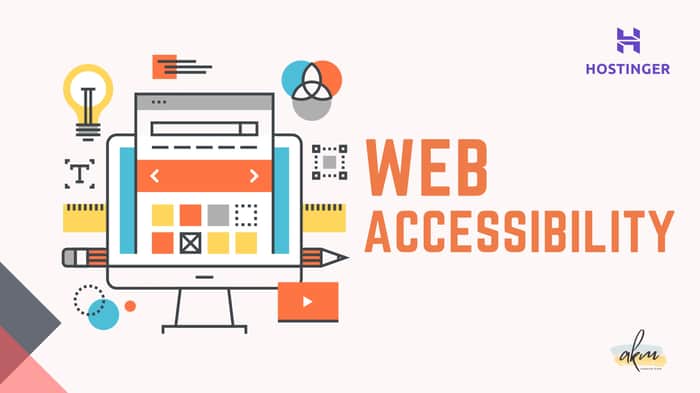
In today's digital world, web accessibility is no longer an afterthought – it's a necessity. Simply put, it ensures your website is usable by everyone, regardless of their abilities. This includes people with visual, auditory, motor, or cognitive disabilities.
</> Benefits of web accessibility </>
Making your website accessible isn't just the right thing; it's a wise business decision. Here's a breakdown of the key benefits:
=/ Boosts User Experience: Accessible websites are more manageable for everyone to navigate. Clear headings, proper color contrast, and keyboard functionality create a smooth user experience.
=/ Expands Your Market Reach: By removing accessibility barriers, you open your website to a broader audience, potentially including people with disabilities who might have otherwise been excluded.
=/ Enhances SEO: Search engines favor websites that follow accessibility guidelines. This can lead to higher search engine rankings and increased organic traffic.
=/ Strengthens Brand Reputation: Prioritizing accessibility shows your commitment to inclusivity, fostering customer trust and loyalty.
=/ Improves User Engagement: Accessible design principles often translate to better user experiences overall. This can lead to increased engagement and conversions on your website.
=/ Reduces Legal Risks: Web accessibility is a legal requirement in many countries. By making your website accessible, you can avoid potential lawsuits.
</> How to make a website accessible? </>
Getting started with web accessibility is easier than you might think. Here are some critical steps:
=/ Clear and Descriptive Text: Use clear and concise language throughout your website. Avoid jargon and complex sentence structures.
=/ Meaningful Alt Text: Add descriptive alt text to every image on your website. Screen readers can read this text, allowing visually impaired users to understand the image content.
=/ High Color Contrast: Ensure a strong contrast between text and background colors. This makes text easier to read for everyone, especially those with visual impairments.
=/ Large, Readable Fonts: Use a font size of at least 16px and maintain adequate spacing between lines. This ensures readability on all devices.
=/ Logical Headings: Structure your content using clear, descriptive headings (H1, H2, etc.). This helps users understand the hierarchy of information and navigate your website easily.
=/ Keyboard Navigation: Make sure your website can be navigated entirely using a keyboard. This allows users who cannot use a mouse to interact with your content.
=/ Accessible Multimedia: Provide captions and transcripts for videos and audio content. This ensures that everyone can access and understand your multimedia elements.
=/ Simple Forms: Design forms and interactive elements with clear instructions and error messages. Users should understand the purpose of each field and receive feedback when interacting with them.
=/ Customization Options: Users can customize text size and color contrast settings, catering to individual preferences and accessibility needs.
</> Emerging trends and technologies </>
Remember, web accessibility is an ongoing process. New technologies and trends emerge constantly, so updating and adapting your website is essential. Here are some exciting advancements to keep an eye on:
=/ Artificial Intelligence (AI): Generative AI can automate accessibility checks and potentially suggest solutions to fix existing issues.
=/ Voice Assistants and Natural Language Processing (NLP): Voice-based interaction offers greater accessibility for motor-disabled users.
=/ Augmented and Virtual Reality (AR/VR): AR/VR can create immersive experiences, providing alternative ways to access information.
=/ Biometric Authentication: Fingerprint and facial recognition offer a more convenient and accessible way to log in and interact with websites.
=/ Eye-tracking technology: This technology allows users to control devices and navigate websites using their eye movements, offering a revolutionary option for those with limited mobility.
By making your website accessible, you contribute to a more inclusive digital world. It's a win-win for everyone – users, businesses, and society. Start implementing these steps today and create a website that's truly accessible to all.
</> NOTE </>
This post is a quick overview of the importance of web accessibility from one of my articles on Hostinger. For a deep dive into best practices, tools, and the latest trends in web accessibility, check out the full article on Hostinger.
Refference Articles:
- https://www.hostinger.com/tutorials/generative-ai
- https://www.hostinger.com/tutorials/web-accessibility
Profiles:
Hostinger: https://www.hostinger.com/tutorials/author/aminul
LinkedIn: https://www.linkedin.com/in/akm071/

Your web development posts are so informative! EchoAPI has helped me mock different API scenarios, allowing me to work on my front end independently.
@ffany_879, thank you.