YourGPT Review: What Actually Happens After You Set Up the Agent
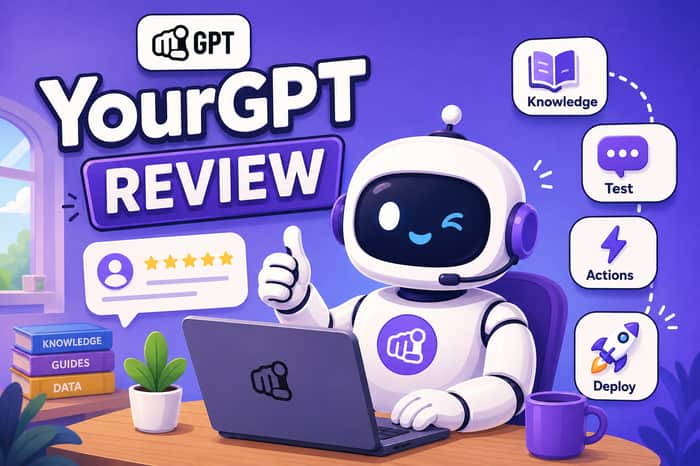
I spent a stretch of this year putting YourGPT through real support workloads, not just the demo. This is what I found once the trial ended and the tickets started coming in.
Here's the line that sums up the pitch: a chatbot answers, an agent finishes the job. That's a fair test to hold any vendor to, including this one.
(Vendor site: yourgpt.ai / Pricing: yourgpt.ai/pricing)
What YourGPT actually is
YourGPT is a no-code platform for building AI agents that handle support, sales, and operations work. You feed it your knowledge (site pages, PDFs, Notion, Drive, Confluence, YouTube transcripts, help center articles) and it answers from that material. Then you can wire up functions so it can act: open a ticket, hit an API, update a CRM record, book a calendar slot.
Two builder layers sit on top of the knowledge base. AI Studio handles guided conversation flows. Copilot Builder is for when the agent needs to operate inside an actual application rather than just a chat widget.
Once built, the same agent deploys to a website widget, WhatsApp, Instagram, Telegram, Slack, Messenger, phone, and several helpdesks, without retraining per channel. The vendor advertises support for 100+ languages and a 7-day free trial with no card required.
Their headline number is "resolves up to 90% of repeated queries." I'd flag that word "repeated" every time you see this stat quoted. It excludes the messy stuff: one-off complaints, angry customers, contract questions, anything medical. I don't trust a resolution percentage until I've run a live month of actual tickets through the agent and counted for myself.
The six things they sell, and what they mean in practice
Self-learning. The agent gets better as your source material gets cleaner and you reindex it. It doesn't fix a bad help center on its own. If an article was wrong last Tuesday, it's still wrong today, because the model just reads what's there.
Action-oriented. This is the actual difference between a bot and an agent. Functions are what let it open a ticket or write to a database instead of just describing what you should do next. Skip the functions and you've bought a fancier FAQ page.
Omnichannel. Train the agent once, deploy everywhere. If your team currently manages a separate widget, inbox, and DM tool as three different systems, this alone saves real hours per week.
Multilingual. The agent detects the customer's language and replies in kind, across 100+ languages by their claim. Worth noting this is still bounded by what's in your source documents. An agent can't answer accurately in Portuguese if the underlying knowledge only exists in English.
Multi-agent. Depending on plan, you get 2, 5, or 10 separate agents rather than one bot trying to be everything. Support, sales, and ops can run as distinct agents with handoffs between them.
Trusted / AI-first positioning. This is marketing language. What matters is whether the agent can refuse a request it shouldn't handle, log what it did, and hand off cleanly. That's the actual bar.
The four layers that make or break a deployment
Every working YourGPT agent has four parts, and if you skip one, you end up with something weaker than advertised.
Memory is the knowledge base: documents, help center content, Drive folders, and so on, in formats like CSV, PDF, DOCX, PPTX, and Markdown. Initial training runs minutes, not days. Reindexing after content changes is not automatic. You either click the button or schedule it. If your site content changes daily and nobody owns that reindex step, the agent will confidently answer with outdated information.
Persona and guardrails is the list of what the agent is not allowed to do. Never offer a refund above a threshold. Never invent a tracking number. Never give medical advice. Skip this step and the model defaults to being "helpful" the way a well-meaning stranger is helpful, which is not always what you want in a support context.
Studio and functions is the logic layer. Studio handles sequential flows (intents, entities, variables). Functions are the actual API calls that make things happen in other systems. Pair this with an automation tool like n8n on the receiving end, and the agent can open the Zendesk ticket or update the HubSpot record itself.
Channels and handoff covers where the agent lives and what happens when it needs a human. A well-configured handoff passes the full conversation thread and the reason for escalation, not just "customer needs help" with no context. Losing that context on handoff is the exact failure mode that made the earlier generation of chat widgets frustrating to use.
Pricing, as of mid-August 2026
Figures pulled directly from their pricing page (annual billing, monthly-equivalent price shown, with the standalone monthly sticker price in parentheses):
Essential: $39/mo billed annually ($59 month-to-month) — 2 agents, 200 pages/20 docs, 10M credits. No Studio, no API access. This is a trial tier, not something to build a real support operation on.
Professional: $79/mo annually ($129 month-to-month) — 5 agents, 500 pages/100 docs, 30M credits. This is where Studio, functions, API access, handoff, and helpdesk integration unlock. If you're putting this on a live inbox, this is the floor.
Advanced: $349/mo annually ($499 month-to-month) — 10 agents, 2,000 pages/500 docs, 100M credits. This tier removes the "Powered by YourGPT" badge and adds custom domains, role management, and an account manager.
Enterprise: Custom pricing, SSO, SLAs, white-glove onboarding, custom data retention.
There's no per-message overage fee. Instead you burn through an AI credit pool, and the burn rate depends on which model is answering. Their own FAQ still references older multiplier examples (GPT-3.5 around 1x, GPT-4o around 5x, GPT-4 around 20x) as a rough mental model for cost. Running a heavier model on every "what are your hours" greeting will chew through a credit pack fast, and that's a configuration choice, not a vendor flaw.
For context, Capterra's listing shows a starting price near $49/month and flags that the more advanced workflow features take real setup time. That matches what I saw. You're not paying for a flat resolution rate. You're paying for the platform plus a credit budget you have to manage.
Where it genuinely works well
Training once and deploying across every channel is the single biggest time-saver if your team currently manages channels separately. Model flexibility is also underrated here: their FAQ lists OpenAI, Anthropic, Gemini, Grok, and DeepSeek as swappable backends, which means you can run a cheap model for simple greetings and reserve a stronger one for anything involving a refund or a complaint, keeping the credit pool from draining on trivial exchanges.
On the security side, they publish SOC 2 Type II, GDPR compliance, ISO 27001, no training on customer data, data isolation, and zero-day retention with model providers, plus SSO on the enterprise tier. I'm not the person auditing those certifications, so if security sign-off matters at your company, send that documentation to whoever handles compliance rather than taking a review's word for it.
Where it falls short
It will not clean up a messy help center for you. Point it at contradictory source documents and it answers fluently and incorrectly, because the model is reading exactly what you gave it. Reindexing is a manual step or a schedule you have to set up, not something that happens automatically when your site changes.
If your brand identity matters on the widget itself, budget for the Advanced plan. Badge removal and custom branding aren't available below that tier.
It's also not a replacement for a category-specific tool. If you're running high-volume order-status and returns workflows against live Shopify inventory, a purpose-built tool in that space is likely to serve you better. And if your team already lives inside Intercom, switching to YourGPT is a full platform migration, not a plugin.
One more thing worth flagging: reviews on G2 specifically called out weaker security controls like MFA on lower tiers, and asked for more granular control over answers in specialized professional fields. Don't assume the entry-level plan is IT-department-ready out of the box.
How it stacks up against the alternatives
Versus Intercom Fin: Fin makes sense if your team is already fully inside Intercom and wants to stay there. It's priced per resolution. Independent testing (a 500-ticket sample run in 2026) put its actual resolution rate around 38%, below Intercom's own marketed figure closer to 50%. Moving off Fin is a platform change, not a settings tweak, so this comparison only matters if you're choosing your first tool.
Versus Zendesk AI: If your support org already runs on Zendesk tickets, staying inside that ecosystem is the path of least friction. Reported resolution rates start around 15-30% and climb to 40-50% after months of tuning. YourGPT doesn't replace Zendesk as a ticketing system, but it can open a Zendesk ticket via a function call and hand the thread over, treating Zendesk as the log rather than the front door.
Versus Botpress: Botpress is the developer's tool: full flow control, custom code, no ceiling on complexity if you have engineering resources to dedicate to it. YourGPT is the no-code version of the same underlying idea. Pick Botpress if you need the conversation engineered precisely. Pick YourGPT if you need something live across channels next month and a non-technical person needs to own the knowledge base.
Versus Lyro (Tidio): Lyro is the fast, cheap storefront option, with Tidio publishing a 67% average resolution rate and a 50% guarantee on paid tiers. For a small shop that just needs FAQ and order-status coverage, Lyro is often the right call. YourGPT is the deeper option: more channels, a real function layer, Studio for guided flows, and branding control at the higher tier, in exchange for a credit-based cost model instead of a flat conversation quota.
Versus n8n: This isn't really a fair comparison because n8n isn't a support tool at all. It moves data between systems. In practice, the two pair well together: YourGPT handles the conversation, n8n executes the backend action once a function call fires.
Who should actually buy this
A team with a real, maintained help center, more than one active support channel, and someone assigned to own the knowledge base and reindex schedule. A company that wants its own brand on the agent rather than a vendor's default widget. A product team that needs an in-app copilot, not just a corner-of-the-screen chat bubble.
Skip it if you want to upload a sitemap once and never touch it again, if you're a Shopify-only shop already running a category-specific support tool well, or if you're in a regulated space (healthcare, for example) that needs contractual guarantees this review doesn't cover.
If you're going to trial it, do this in the seven days
Pick one narrow job. Password resets, order status, or appointment booking. Not "everything."
Load only the source pages you know are accurate. Five correct articles beat a full sitemap of stale ones.
Write the guardrail list first: refunds, legal questions, anything you wouldn't let a new hire answer unsupervised.
Connect exactly one function. A single ticket-creation action is enough to test the real workflow.
Test on staging, not production.
Run last month's actual support tickets through it and score every response: answered correctly, correctly refused, handed off, or hallucinated.
Watch the credit burn on ordinary greetings. If it's high, swap the model before you swap the vendor.
If day seven still feels like a demo, don't pay for it yet. If day seven produced a log of correctly filed, correctly refused, and correctly escalated cases, that's the signal to move to the Professional plan.

The point about clean source material stood out. Even a great AI agent will give bad answers if the knowledge base is outdated.
Something we’ve had to think about with ScaleBlogger too.