Thanks! Still early days — the tool has real limitations (Microsoft Copilot now does something similar natively). So I’m using this as a learning project more than a serious product play. Glad it resonated though. What kind of formula problems do you run into most often?
It is a massive headache when you inherit a "legacy" spreadsheet filled with massive nested formulas that clearly aren't working but provide no clues as to where the logic actually breaks.
The real value of a debugger over a simple generator is that it provides the "why" behind the fix which helps users actually learn the syntax instead of just blindly pasting a solution that might break again the next time the data structure changes.
Since you are targeting people who inherit complex sheets are you considering a "File Upload" feature that scans an entire tab to highlight problematic cells before they even cause an error?
This is exactly the kind of feedback that makes building in public worth it — thank you.
You nailed the core insight better than I did in my own description: the 'why behind the fix' is the real product, not the fix itself. That's what I'm doubling down on.
The file upload idea for scanning an entire tab is genuinely brilliant and honestly something I hadn't considered — I was thinking cell by cell, you're thinking sheet-level diagnostics. That's a completely different and more powerful tool.
I'm going to be straight with you: I built this as a validation project and I've already discovered that Microsoft Copilot now has a native formula explainer inside Excel, and a competitor launched a similar tool recently. So I'm actively thinking about where the real gap is — and what you just described, the inherited sheet scanner that proactively flags problems before they break, is something neither Microsoft nor anyone else is doing at the level you're describing.
That might be where this goes next. Would you be open to sharing more about your workflow in the comments, or drop me a message here on IH? I’d love to understand what that would need to look like to be genuinely useful.
Focusing on sheet-level diagnostics is the best way to outpace native tools because Copilot is mostly built for reactive help rather than proactive auditing.
A proactive scanner that maps dependencies across an entire tab would solve the "invisible error" problem where a formula looks correct but pulls data from the wrong source.
I apply this same level of proactive analysis in my high-tier PR and media placement work where we audit a brand's entire digital footprint to fix authority gaps before pitching to major news outlets.
A useful starting point for that scanner would be a "Dependency Visualizer" that shows exactly which cells are feeding into a broken formula so the user can see the logic path at a glance.
Does your current logic handle cross-sheet references or is it focused strictly on formulas within a single tab?
The Dependency Visualizer idea is the most concrete feature suggestion I've gotten so far — and it points at a real problem. You're right that "looks correct but pulls from the wrong source" is exactly the kind of error that breaks people's trust in their own spreadsheets.
To answer your technical question directly: right now Fix & Explain handles single formula input only. You paste one formula, describe what it should do, and it diagnoses that formula in isolation.
No cross-sheet awareness, no dependency mapping. It doesn't know what's in your cells — just what's in the formula string itself. That's a real limitation worth naming honestly.
The scanner concept you're describing is a meaningfully bigger build. I'm in validation mode right now — figuring out what problems are worth solving before committing to scope.
But I'm noting this as the first specific, technically grounded feature request I've received.
What's your actual use case — are you hitting this problem yourself or pattern-matching from the PR audit work?
Honest answer: pattern-matching from the audit work, but the problem is very real across industries. When you audit a complex system — whether it's a media footprint or a spreadsheet — the most dangerous errors are always the ones that look fine on the surface but silently pull from the wrong source.
The fact that you're in validation mode before committing to scope is exactly the right call. Most builders fall in love with the feature before confirming the pain is deep enough to justify the build.
One thing worth testing: find 3-5 people who have actually inherited a broken spreadsheet at work and watch them use your current tool. Their frustration points will tell you faster than any feature request whether the scanner is the next right move or if there's an even more painful gap upstream.
That last paragraph is the clearest next step anyone has given me. Stop theorizing, find 3-5 people who actually inherited a broken spreadsheet at work, and watch them. Frustration points over feature requests.
I still haven’t found someone whose actual work broke because of a silent dependency error. That’s the gap.
Do you happen to know anyone in your network who fits that profile? Not to pitch anything — just to watch.
About
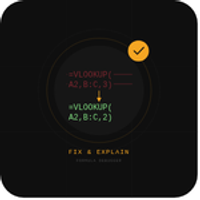
I kept seeing: people don't just need formulas generated — they need their existing broken ones explained and fixed. Especially people who inherited someone else's spreadsheet.

9 Comments
Outstanding and good work keep sharing
Thanks! Still early days — the tool has real limitations (Microsoft Copilot now does something similar natively). So I’m using this as a learning project more than a serious product play. Glad it resonated though. What kind of formula problems do you run into most often?
Outstanding and good work keep sharing
It is a massive headache when you inherit a "legacy" spreadsheet filled with massive nested formulas that clearly aren't working but provide no clues as to where the logic actually breaks.
The real value of a debugger over a simple generator is that it provides the "why" behind the fix which helps users actually learn the syntax instead of just blindly pasting a solution that might break again the next time the data structure changes.
Since you are targeting people who inherit complex sheets are you considering a "File Upload" feature that scans an entire tab to highlight problematic cells before they even cause an error?
This is exactly the kind of feedback that makes building in public worth it — thank you.
You nailed the core insight better than I did in my own description: the 'why behind the fix' is the real product, not the fix itself. That's what I'm doubling down on.
The file upload idea for scanning an entire tab is genuinely brilliant and honestly something I hadn't considered — I was thinking cell by cell, you're thinking sheet-level diagnostics. That's a completely different and more powerful tool.
I'm going to be straight with you: I built this as a validation project and I've already discovered that Microsoft Copilot now has a native formula explainer inside Excel, and a competitor launched a similar tool recently. So I'm actively thinking about where the real gap is — and what you just described, the inherited sheet scanner that proactively flags problems before they break, is something neither Microsoft nor anyone else is doing at the level you're describing.
That might be where this goes next. Would you be open to sharing more about your workflow in the comments, or drop me a message here on IH? I’d love to understand what that would need to look like to be genuinely useful.
Focusing on sheet-level diagnostics is the best way to outpace native tools because Copilot is mostly built for reactive help rather than proactive auditing.
A proactive scanner that maps dependencies across an entire tab would solve the "invisible error" problem where a formula looks correct but pulls data from the wrong source.
I apply this same level of proactive analysis in my high-tier PR and media placement work where we audit a brand's entire digital footprint to fix authority gaps before pitching to major news outlets.
A useful starting point for that scanner would be a "Dependency Visualizer" that shows exactly which cells are feeding into a broken formula so the user can see the logic path at a glance.
Does your current logic handle cross-sheet references or is it focused strictly on formulas within a single tab?
The Dependency Visualizer idea is the most concrete feature suggestion I've gotten so far — and it points at a real problem. You're right that "looks correct but pulls from the wrong source" is exactly the kind of error that breaks people's trust in their own spreadsheets.
To answer your technical question directly: right now Fix & Explain handles single formula input only. You paste one formula, describe what it should do, and it diagnoses that formula in isolation.
No cross-sheet awareness, no dependency mapping. It doesn't know what's in your cells — just what's in the formula string itself. That's a real limitation worth naming honestly.
The scanner concept you're describing is a meaningfully bigger build. I'm in validation mode right now — figuring out what problems are worth solving before committing to scope.
But I'm noting this as the first specific, technically grounded feature request I've received.
What's your actual use case — are you hitting this problem yourself or pattern-matching from the PR audit work?
Honest answer: pattern-matching from the audit work, but the problem is very real across industries. When you audit a complex system — whether it's a media footprint or a spreadsheet — the most dangerous errors are always the ones that look fine on the surface but silently pull from the wrong source.
The fact that you're in validation mode before committing to scope is exactly the right call. Most builders fall in love with the feature before confirming the pain is deep enough to justify the build.
One thing worth testing: find 3-5 people who have actually inherited a broken spreadsheet at work and watch them use your current tool. Their frustration points will tell you faster than any feature request whether the scanner is the next right move or if there's an even more painful gap upstream.
That last paragraph is the clearest next step anyone has given me. Stop theorizing, find 3-5 people who actually inherited a broken spreadsheet at work, and watch them. Frustration points over feature requests.
I still haven’t found someone whose actual work broke because of a silent dependency error. That’s the gap.
Do you happen to know anyone in your network who fits that profile? Not to pitch anything — just to watch.