
FocusNPlay
An AI-powered study app that stops you from doomscrolling
30 days ago, my tutor gave me a simple yet seemingly arduous mission: pass the JLPT N3 in one month, or stay stuck in the beginner Japanese class.
You see, I've recently made the decision to move to Japan and begin my study in a language school in Tokyo. And because I'm eligible to enrol in a faster class and graduate earlier than my peers, my tutor strongly advised me to pass JLPT N3, which is the intermediate level for reading and listening to Japanese.
This is because at the time, my Japanese proficiency was just shy of JLPT N4. By math, reaching N3 would need 2000 new vocabs and grammar points - around 66.7 new knowledge per day.
So far, I've been casual about learning Japanese, but this time, I was met with a task that has volume and a tight deadline. Luckily for me, I've just finished building the Study to Scroll and AI Card Generation features in my app. And what's better than testing new features on the maker myself?
Disclaimer: The mock test I partook has the difficulty equivalent to JLPT N3 designed by the school that divides the subjects into vocabulary, grammar, and reading comprehensions. No listening test was included.
Day 1: Starting small, feeling it out
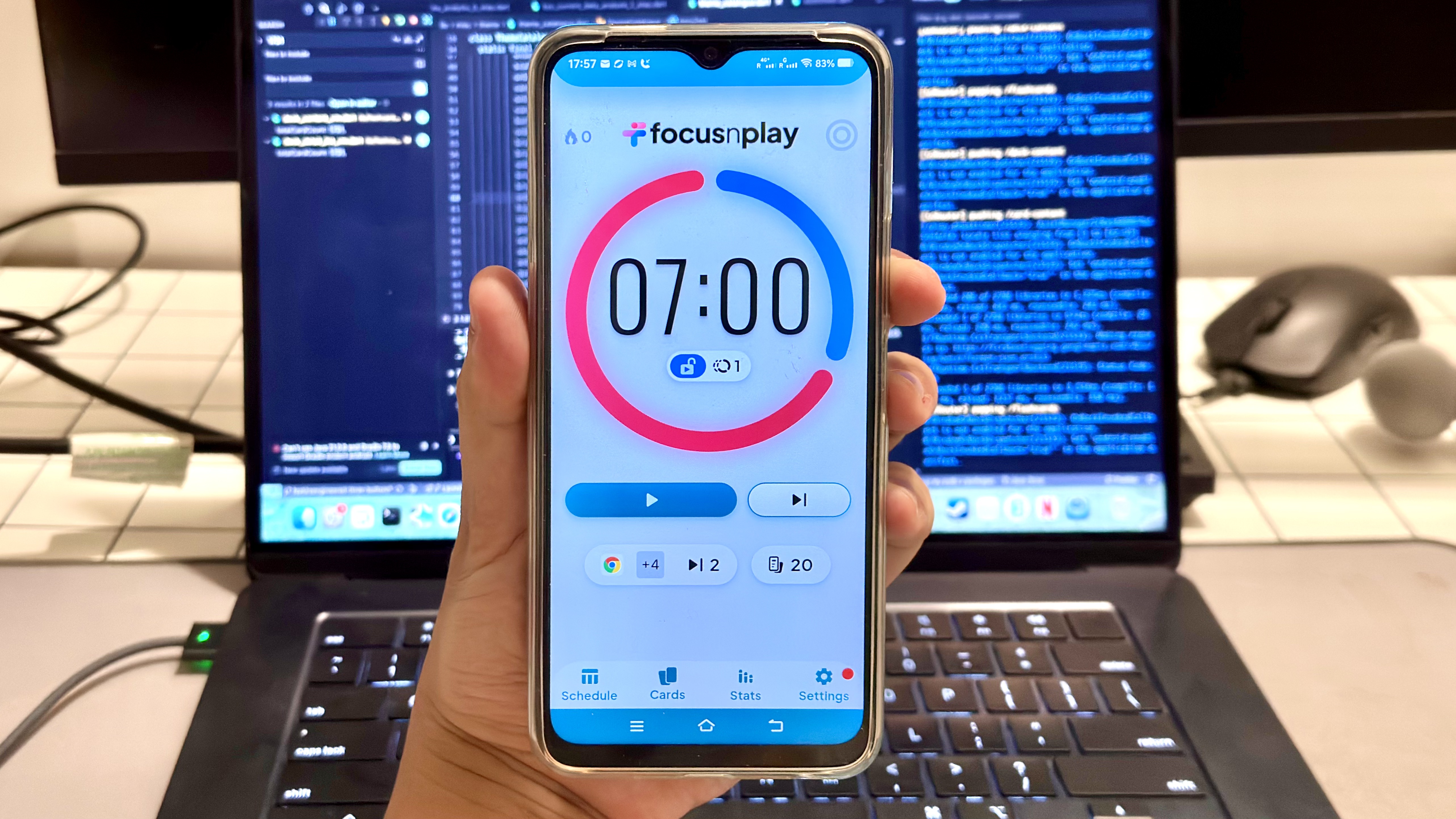
I started my experiment off with a modest goal — learning 20 new concepts per day. The idea was just to get a feel for how Study to Scroll could work out for me in minimal conditions.
For those who don't know: Study to Scroll is a feature in FocusNPlay that blocks your apps and only unblocks them once you completed the flashcard review. You want to open Instagram? Answer some cards first. The app doesn't get unblocked until you've completed a study session, curbing your chances to doomscroll.
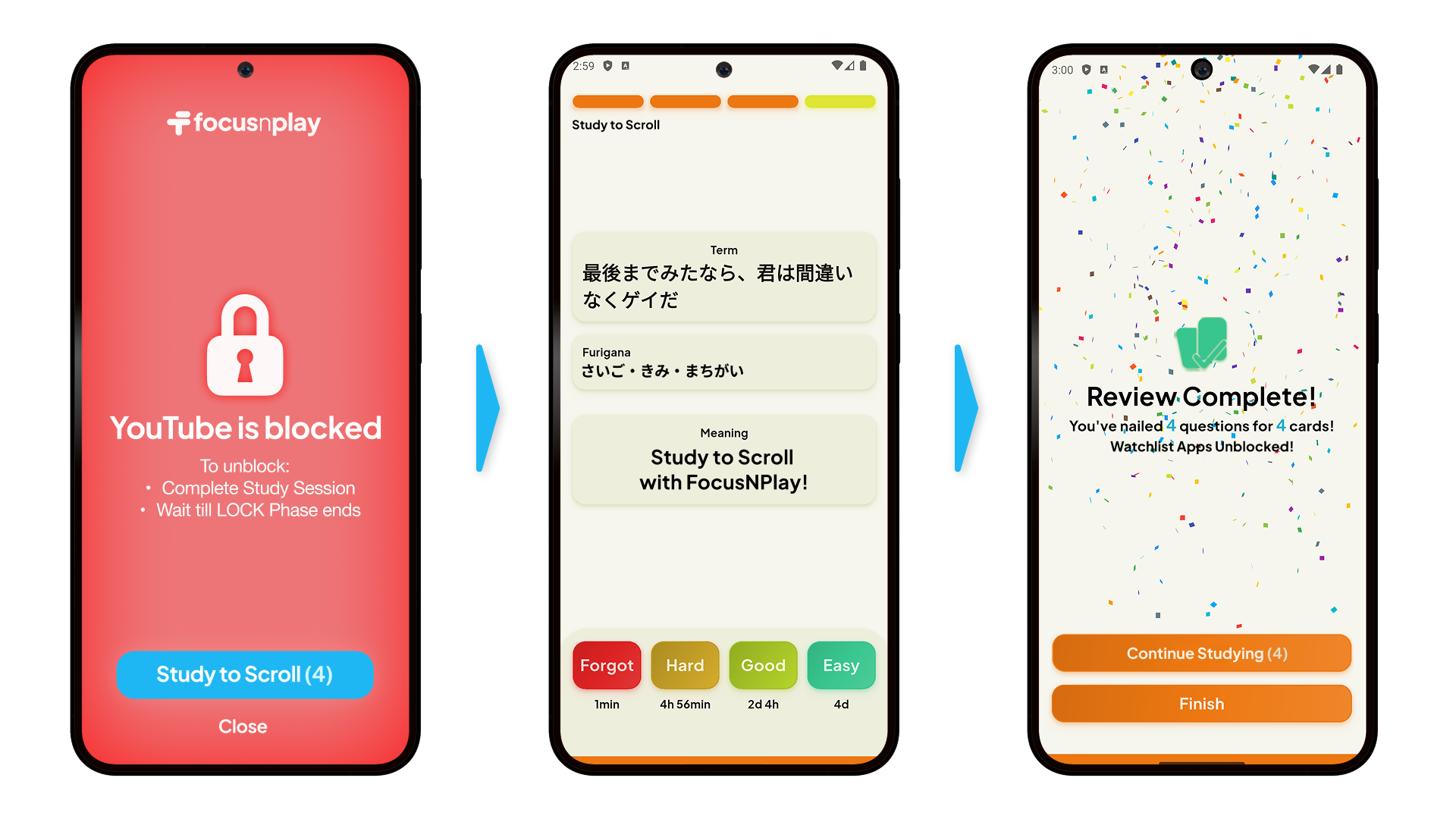
Read more on how Study to Scroll works better than other app blocking tools through behavioural techniques.
Those first few days were cakewalk. 20 cards, spread across however many times I picked up my phone during the day, felt like nothing. I'd study 3–4 cards per unlock, hit my daily target by lunchtime consistently, while barely making any efforts.
This is when I realized the true potentials of Study to Scroll.
Where most people stumble on the biggest problem in learning any subject - consistency, Study to Scroll users could easily crush these goals, not only because they are now able to break large study goal into smaller study sessions, but they were constantly reminded of how it replaces mindless scrolling with something beneficial and effortless, encouraging users to go for a bigger goal.
The revelation that changed everything
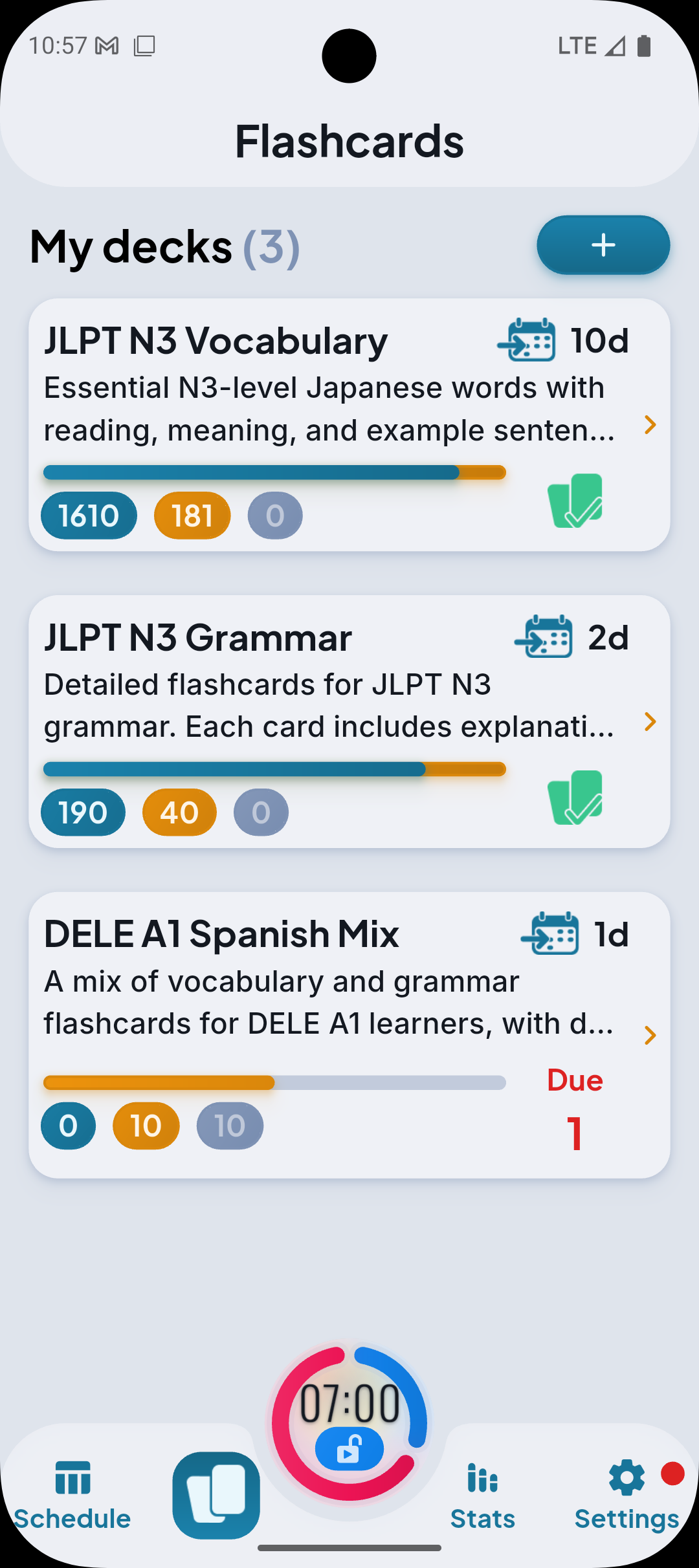
Memorizing 20 new words every day for 30 days isn't gonna help me reach 2000 words any deadlines soon.
By Day 6, I noticed that I open my phone around 25–30 times a day. If I amp up the cards-per-unlock requirement even by a little bit, my daily learning throughput would skyrocket.
So on Day 7, I made the jump: 80 new words per day, plus reviewing 100+ (cumulative) older cards on the top.
Every time the urge to scroll kicked in, it has now become a mental-trigger to learn something new, and to review some old cards. My brain is so used to this new habit loop I'd been building for mere days — not through discipline, but through the system provided by the app itself.
Why 80 words a day didn't break me
Does 80+ words per day sounds like a lot? Yeah.
But was it overwhelming? Actually, not at all. Study to Scroll allowed me to digest massive amount of knowledge within one day, and this surprised me far more than anything.
The reason I could keep up with 80 new words a day without burning out comes down to one thing: distribution.
Traditional studying asks you to sit down for a dedicated block, grind through a deck, and retain what you can. The problem is your brain gets fatigued, your attention drifts, and your review quality would start sinking after 20–30 minutes. This is also the reason why many medical students who review over hundreds of flashcards daily burn out easily, they tried to do everything together.
Study to Scroll does the opposite. Instead of one long session, your reviews are diced up and scattered across 25–30 mini-sessions throughout the day. Each one is activated everytime your screentime has exceeded, and only takes you about 60–90 seconds to complete before going back to scrolling. You might not even realize it by the time it's over.
Spaced, distributed practice produces better retention than massed practice. But knowing that and actually doing it are two different things. FocusNPlay made the distributed part automatic. I didn't have to plan it. All I have to do was simply using my phone as usual.
Building the decks: Where AI did the heavy lifting

But before all these Study to Scroll stuff fall to place, there's something more fundamental - flashcard deck content. For this experiment, I used FocusNPlay's AI deck generation feature to build both my JLPT N3 vocabulary and grammar decks, and the quality of those decks made a real difference.
A quality deck is not necessarily determined by how many cards it holds, as compared to well-designed field definitions. Think of cards like a building block of a building, and field definitions being the blueprint.
You also need good prompts when telling AI to generating a deck for you. Vague prompts give you vague cards. I spent time thinking about exactly what information I needed per card to actually understand a word — not just recognize it.
Note: The AI generation feature was still new as of the release of this article. Most of the card contents were imported externally through debug environment, which will be a live feature in the future.
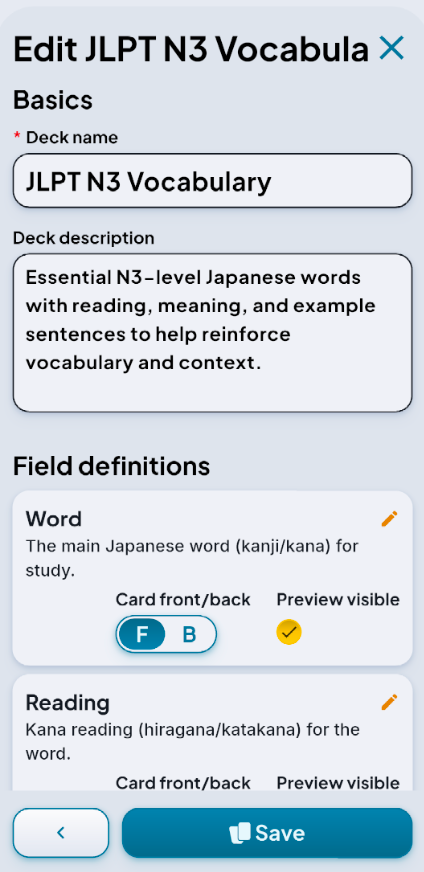
The Vocabulary Deck
For vocabulary, my prompt was roughly:
"Generate a Japanese N3 vocabulary flashcard deck. Include these field definitions separately: the original Japanese vocab; the pronounciation in full furigana; type of verb - transitive/intransitive, godan/ichidan (where applicable); translation in English; meaning in Japanese; a natural example sentence in Japanese with English translation; common synonyms (where applicable); antonyms (where applicable); and words with similar meanings that are commonly confused with this word, with clear notes on the nuance in meanings"
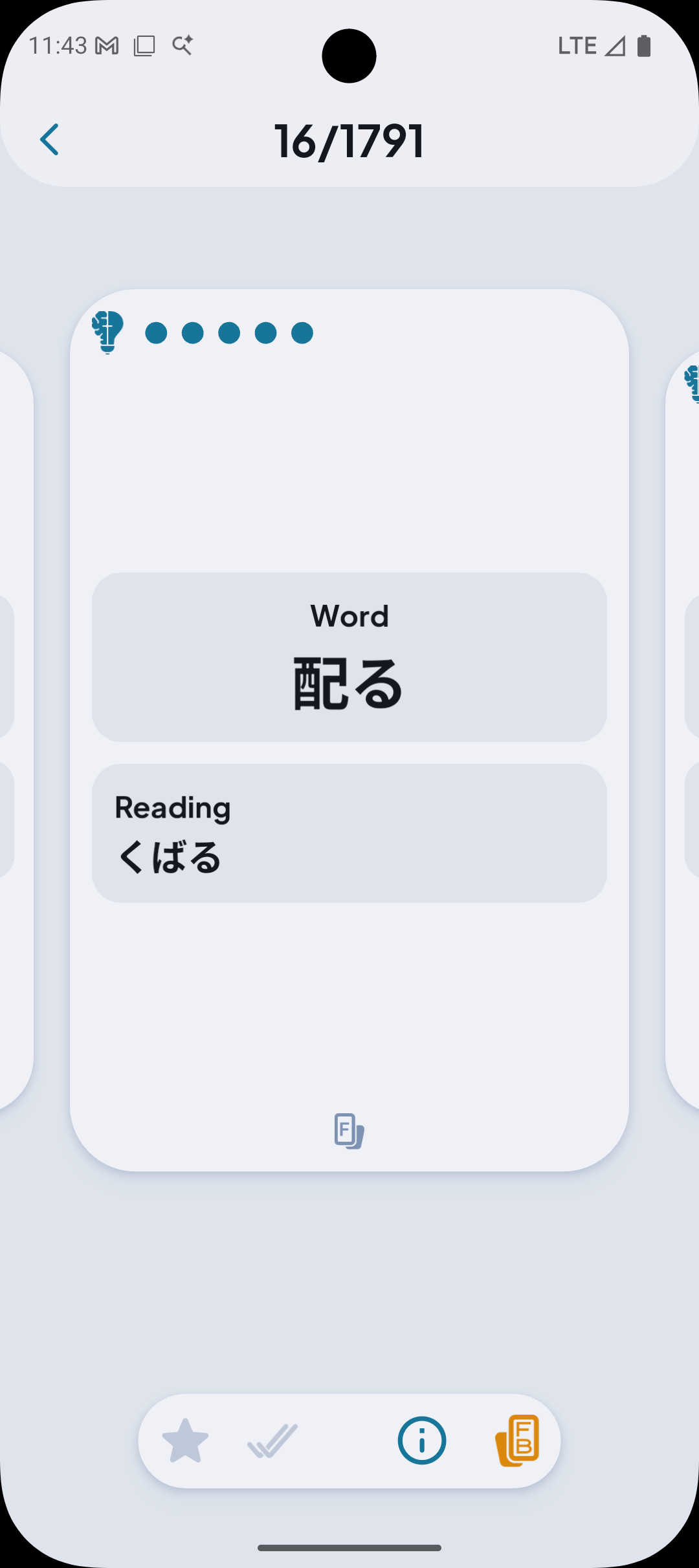
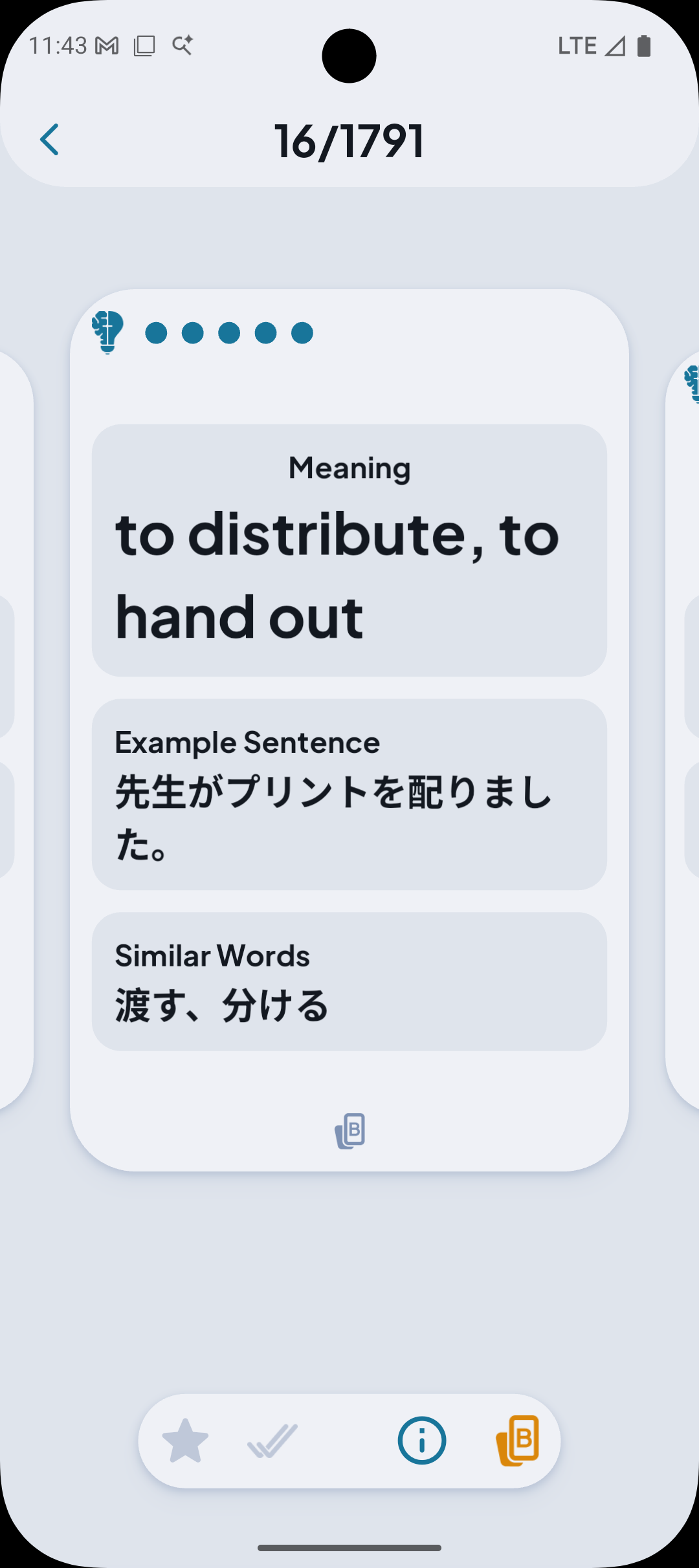
That last field — similar-but-different words — was really important. Japanese is full of near-synonyms that native speakers navigate by feel. As a learner, you need explicit guidance on the distinctions. Having that baked into every card meant I wasn't just memorizing definitions; I was building a mental map of how each word fits relative to the ones around it.
Another thing - I separated the original vocab and its pronounciation. With this I can use the vocab to recall its pronounciation, and the other way around.
A quick note on kanji: being of Chinese origin, I can read most Japanese kanji without needing furigana explanations. So for this experiment I skipped kanji breakdown fields entirely and focused the card real estate on usage, context, and nuance instead.
The Grammar Deck
Grammar needed a different approach. For that deck, my prompt was something like:
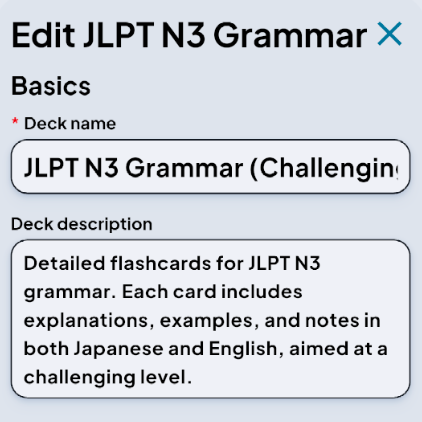
"Generate a Japanese N3 grammar point flashcard deck. For each grammar structure, include: the pattern itself; what it expresses (function/nuance); a natural example sentence with translation; grammar points that are similar or commonly confused; key differences between them; common mistakes learners make; and formality - when would this grammar be appropriate in vs. inappropriate (formal/informal/written/spoken)."
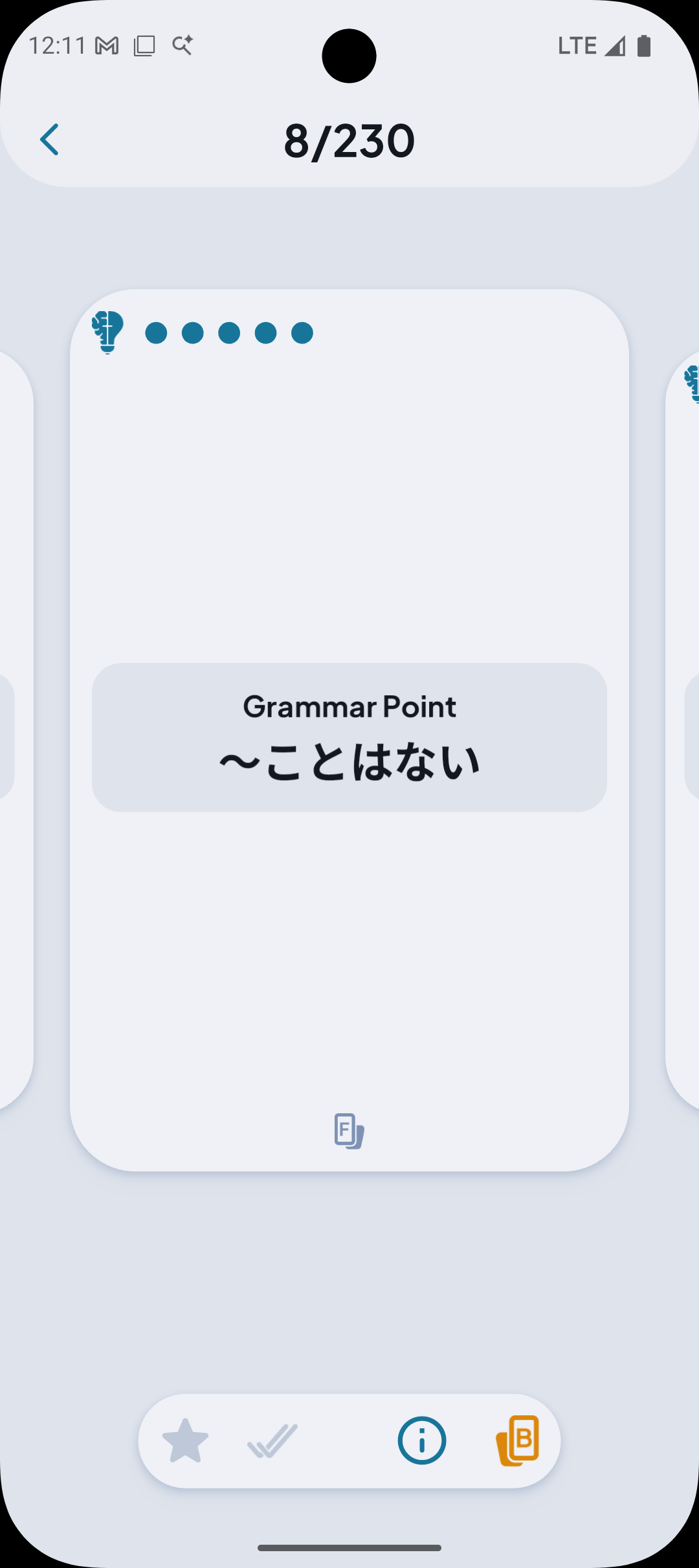
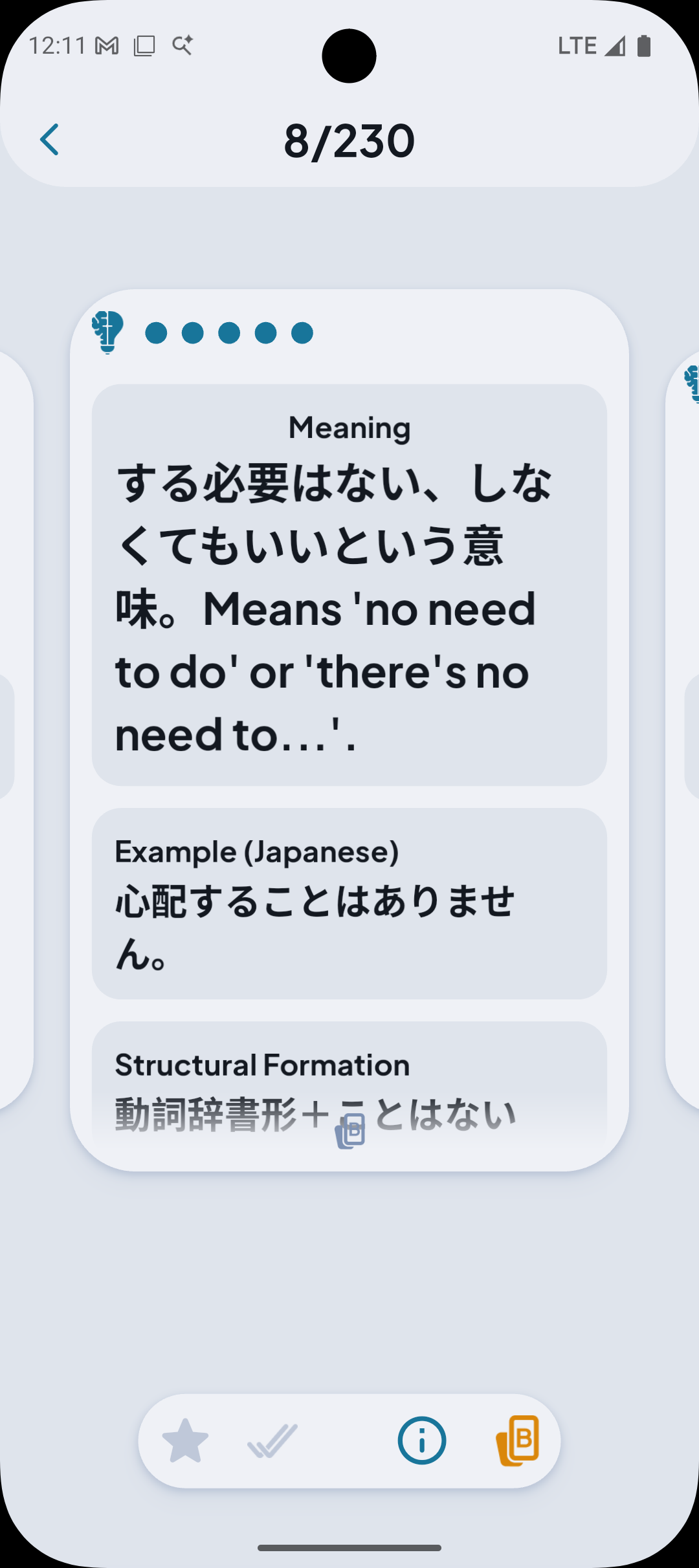
Again, the more field definitions I specified, the more I know about each concept. The AI-generated deck isn't perfect — there were a few cards I edited manually — but it got me 85–90% of the way there without hours of deck-building from scratch.
The principle applies whether you're using this for Japanese or anything else: specify as many atomic fields as possible, and describe what each field should actually convey. Don't just say "example sentence." Say "a natural, conversational example sentence showing the word in a realistic context."
Two Birds, One Phone
Here's the part I didn't fully anticipate going in: my screen time dropped significantly.
Before I started this experiment, I was averaging around 4.5 hours of screen time per day — mostly YouTube and PUBG Mobile. By the end of the 30 days, that was down to just over 1 hour.

Not because I was blocking myself out of my apps entirely. But because every unlock had a cost. When you have to earn your scroll time, you start asking whether you actually want it. More often, the answer to that would be: not really. You were just reaching for your phone out of habit, not genuine desire.
The phone addiction that had been background noise for years — those reflexive reach and mindless loop quietly disappeared. I didn't fight it. I just changed what the phone meant to me. It prioritized studying, and put entertainment second.
So yes: 1,000+ vocabulary items learned AND a phone habit broken. All thanks to this experiment.
Beyond Japanese
As I got deeper into the process, I kept thinking about how this system would adapt to other learning goals.
Other languages are the most obvious parallel. The Study to Scroll approach works particularly well for vocabulary-heavy languages like Korean, Mandarin, or Arabic — anywhere that raw word exposure and repetition is the bottleneck. The deck design principles apply directly: build in synonym/antonym comparison, usage context, and common confusions.
Medicine and law are a different beast. With medical terminology or legal concepts, the cards need to do more heavy lifting around application — not just "what does this term mean" but "when does this apply, what are the edge cases, what does it look like in practice." You'd want to engineer field definitions that push toward clinical or legal reasoning, not just recall. Think: symptom differentials on a medical card, or case examples on a legal concept card.
The underlying insight is the same across all of these: retrieval practice, distributed throughout the day, tied to something you already wanted to do. The subject matter changes. The mechanism stays the same.
The Result: N3 Passed

At the end of the 30 days, I sat the N3 test, and I passed.
I won't pretend I aced every section — just one mistake each in vocab and reading tests, so I'll take it. Vocabulary was a breeze, thanks to my deep understanding in conjugations. Reading comprehension was solid. Grammar was a little trickier than I expected though, mainly because some of the N4 and N5 patterns overlap just enough to doubt yourself, and seeing them in actual question context can mix a few things in my head up. Still, not so bad overall.
Honestly, the score almost felt secondary to what the experiment taught me about how I learn. Over the years of my casual learning, I always thought that I wasn't a "flashcard person." Turns out I wasn't a sit-down-and-study person.
What's still missing

I'd be doing this a disservice if I didn't talk about the gaps. Because there are real ones.
Pronunciation. The biggest one. My flashcard deck has no audio. I can read and write Japanese well enough now, but my speaking is lagging behind. FocusNPlay doesn't currently support audio generation or playback in cards — meaning I had to supplement with separate listening practice outside the app. For tonal languages like Mandarin, this would be a much bigger problem.
Open-ended and production testing. Every card in my deck was recognition-based — I see the prompt fields, I recall the answer. But real language use requires production: forming a sentence from scratch, choosing the right word under pressure, navigating ambiguity. The app might not support open-answer or written response formats yet, which would definitely push retention even further.
Conversation practice. This is the biggest ceiling. Vocabulary and grammar are infrastructure. Speaking fluently requires learning from unpredictable exchanges — which is something flashcards alone can't simulate.
These aren't complaints so much as observations. For what FocusNPlay does, it does it really well. And pretty soon, we shall see all these problem resolved by the upcoming updates.
What's coming
As someone who has benefited tremendously by this system I created for myself, and someone who first saw true potentials in it, I want to continue improving the app by closing the gaps to things like rich media support in flashcards, open-ended questions, and features that push toward more active, reality-based learning.
So I'll be the first in line when those ship. In the meantime, the Study to Scroll system — even in its current form — gave me great Japanese vocabulary boost in just 30 days than I'd managed in the previous two years of casual study.
Stay tuned for more personalized guides + updates, and drop me a message in the FocusNPlay Discord


If you've ever picked up your phone to check a single message and found yourself still scrolling an hour later, you're not alone. Recent research shows that 53% of Gen Z adults and 46% of millennials identify as doomscrollers, with Americans spending an average of 3.5 hours doomscrolling during the workweek.
The consequences extend beyond wasted time. Studies suggest doomscrolling is linked to worse mental well-being, life satisfaction, and heightened existential anxiety. For many of us, this compulsive scrolling isn't just a bad habit — it's actively interfering with our productivity, mental health, and life goals.
Even though we understand that doomscrolling is bad for us, our brain itches for the eye candy... even for just a second more. How in the world do we finally curb the distractions once-and-for-all?
Why Traditional App Blockers Don't Work

Fact: There is no such thing as the "once-and-for-all" solution.
Speaking from my experience: As doomscrolling does more and more numbers to my mental state and productivity, I too did what millions of others have resorted to: supress screen time with app blocking tools like Forest and Opus. The concept seemed logical enough - Set a time limit, scroll, reaches the time limit, and the app locks you out for an hour or more. Problem solved, right?
Nope.
Here's what actually happened: I was on a reel-jam, stuck in mid-video when suddenly, a jarring splash screen would cut everything short, signaling a stop to my scrolling. The first few times, I felt frustrated but compliant. After a week, those interruptions became increasingly annoying. By week three, the apps sat unopened. Give it a few more weeks, and they were removed entirely.
I'm far from alone in this experience. Research examining app-based management tools found that while they have potential to reduce mobile phone use, their effectiveness varied from weak to strong, and user acceptance scores suggested significant room for improvement. Studies show it takes an average of 25 minutes to regain focus after an interruption—and traditional app blockers create interruptions without offering meaningful alternatives.
No one wants to endure sudden, forced behavioral changes, especially when the solution feels more like punishment than progress. Yes, doomscrolling is a real problem we need to overcome, but methods based solely on restriction just don't work for most people.
The Smarter Way: Study to Scroll
Now, picture a different approach. A tool that still sets time limits on your distracting apps. Only this time, when the apps are blocked, you have the alternative option: bypass the wait through a simple, fulfilling study session.
Here's how it works in practice:
Let's say you've set Instagram to 30 minutes per day. Once you hit that limit, the app blocks for an hour. But you don't want to wait — you were in the middle of watching an interesting reel. So rather than waiting, you choose to complete 5 quick exercises in a subject you're interested in. Each exercise takes less than 10 seconds.
The momentum feels good, so you tap on the "Continue Learning" button and knock out 10 more exercises. In total, you've spent just 2 minutes, but you've acquired 15 new pieces of knowledge. Now this is remarkable, considering most people spend those 2 minutes doing nothing!
And that's the core of Study to Scroll: transforming frictions of app blocking into rewarding micro-learning chances.
The Psychology Behind
What makes this approach different? It's built on the foundations of human motivation. Meta-analyses of gamification in education show significant positive effects on cognitive learning outcomes, with studies demonstrating that gamification can increase motivation, engagement, and interaction.
Traditional app blockers operate on deprivation — they take something away and offer nothing in return. But Study to Scroll operates on exchange — here you earn screen time through constructive, meaningful activity. This subtle shift changes everything about how you perceive the limitation:
Traditional blockers: "My apps are being taken away from me" (utter resentment)
Study to Scroll: "I can earn my entertainment by learning something" (motivation)
By treating screen time as a reward you have to earn, you no longer view app blocking as a nuisance. Instead, you see it as a challenge that benefits your growth.
No more frustrations, embrace motivations.
Hitting Two Birds with One Stone
I've always been eager to maximize productivity by doing two valuable things simultaneously — not multitasking (which rarely works well for me), but finding the right moments to do more without pushing yourself too hard.
A perfect example: pedaling hard on a bike machine while watching educational documentaries. By the end of your training session, your quads are stronger and you've learned something interesting. Over weeks and months, these mixed workflows become so natural that your achievements arrive earlier than expected. This approach significantly improved my learning and reading capabilities during university without sacrificing entertainment.
Study to Scroll follows the same principle. By completing small exercises that contribute to your learning goals, you:
Reduce screentime through meaningful friction
Make progress on your studies through consistent micro-learning sessions
Build positive associations between productivity and rewards
Research shows reward feedback has a moderately positive effect on student academic performance, with studies revealing enhanced engagement and learning outcomes across various educational contexts.
Making Daily Goals Achievable
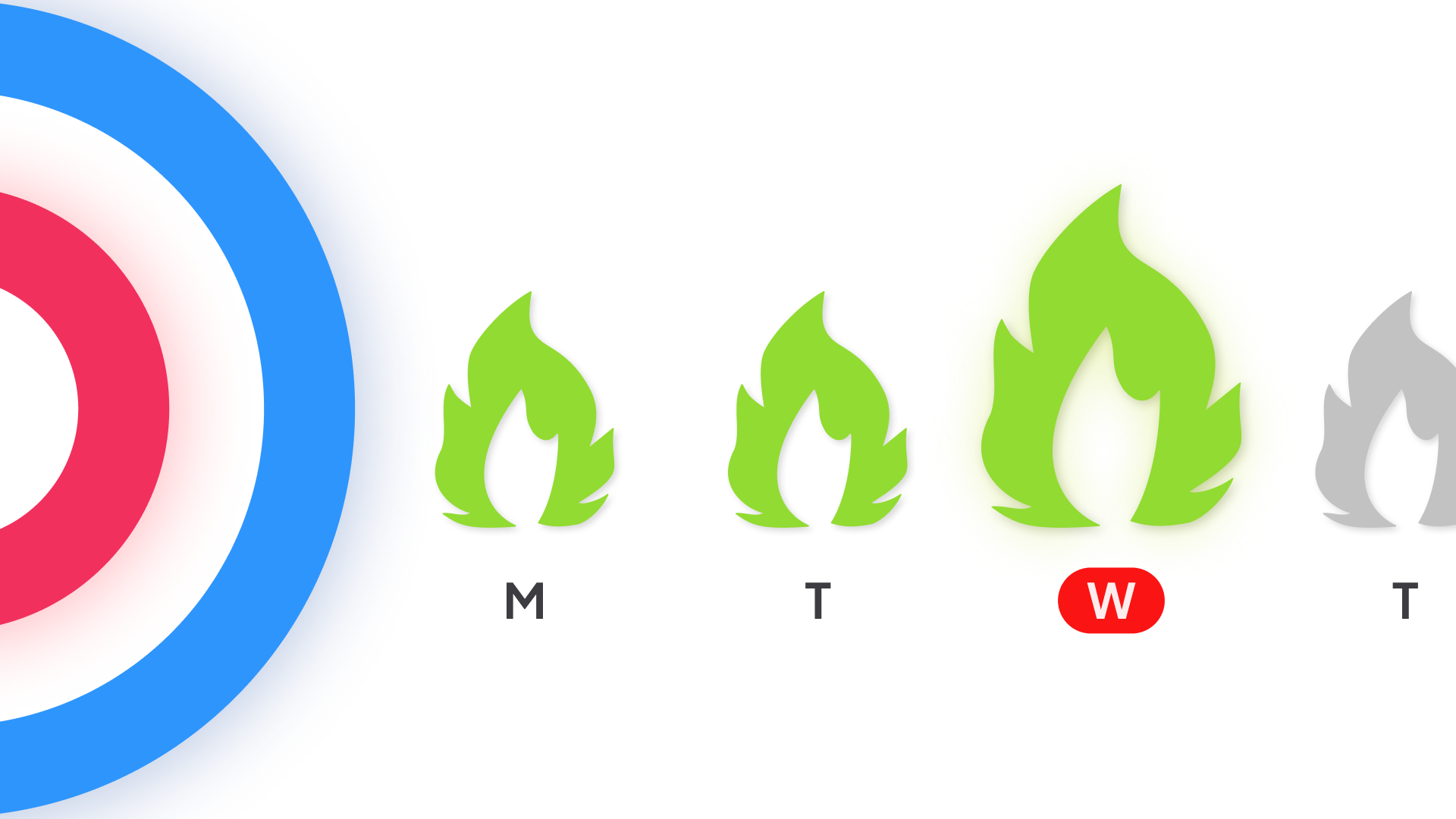
Our built-in goals and streak system keeps your screentime in check while ensuring you hit study goals every day, gradually reducing your reliance on mindless scrolling.
But how do you actually maintain this? Most people find their screentime bounces back to normal after a few days, even with the best of intentions. Study goals get forgotten too. There's nothing wrong with you if this happens — as productivity expert James Clear writes in Atomic Habits: "You do not rise to the level of your goals. You fall to the level of your systems."
Study to Scroll designs that system. Each time app's blocked, you can: stop scrolling, or spend a few minutes learning something new first. This gives you exactly the right amount of motivation to "buy" your entertainment by completing the study session.
And if this is repeated throughout your day, you can easily digest 50+ exercises per day, consistently and effortlessly. At this rate, what used to take years of practice can now be mastered in mere months without the friction and failure of traditional approaches.
Build the System, Avoid the Struggle

No achievements are done with willpower alone. It's through a change in the system itself.
With approximately 31% of American adults doomscrolling regularly (rising to 46% for millennials and 51% for Gen Z), and research linking this behavior to increased stress, anxiety, and poorer overall health, we need solutions that work with human psychology, not against it.
Meta-analyses show rewarding mechanism produces small-to-medium effects on cognitive, motivational, and behavioral learning outcomes, making it a scientifically validated approach to improving both learning and behavior change.
To conclude, Study to Scroll doesn't demand that you develop superhuman self-control overnight. Instead, it gently nudges you toward better habits by making the productive choice also the path of least resistance. Each micro-learning session is that 1% investment in your future self, and each one makes the next a little bit easier.
Ready to Transform Your Screen Time?
If you're tired of feeling guilty about doomscrolling, frustrated by app blockers that don't stick, or simply ready to turn your scrolling habit into a learning opportunity, Study to Scroll offers a different path forward.
The question isn't whether you can stop doomscrolling through pure willpower — it's whether you're ready to build a system that makes productivity the easier choice.
Your future self will thank you for all those 2-minute study sessions that seemed so small in the moment but added up to something remarkable over time.
Comment