Mouzi
Automatic file organizer that sorts your Downloads folder

Mouzi v0.1.6 is now available for Windows and Linux.
This release focuses on safer file handling and making rules quicker to manage:
automatic update checks and one-click installation
“Clean Downloads” renamed to “Organize Downloads”
extensionless files recognized by their actual contents
batch selection in Manual mode
quick enable/disable switches for rules
destination folder picker
per-rule extension normalization, such as
.jpeg→.jpgcustom notifications with file, rule and destination placeholders
remove actions now use Recycle Bin/Trash
confirmation before clearing history


Two months ago I released Mouzi, a tiny open-source file organizer that lives in your tray and keeps Downloads tidy. Crossed 600 stars today on GitHub, which honestly blew my mind. I never thought I’d be able to create something like this and receive so many positive reviews, suggestions and downloads of my app, thanks again!
https://github.com/hsr88/mouzi
-
2
Congrats! One thing that struck me is how invisible success is for products like this.
If users notice Mouzi every day, something has probably gone wrong. The value comes from quietly removing a recurring annoyance, which makes adoption and word-of-mouth very different from products that create moments of excitement.


Linux Release:
AppImage (~86 MB) -works on almost everything
.deb(Ubuntu, Pop!_OS, Mint...)
.rpm (Fedora, openSUSE...)
Requirements: libwebkit2gtk-4.1 + libayatana-appindicator3 (available by default on most distros).
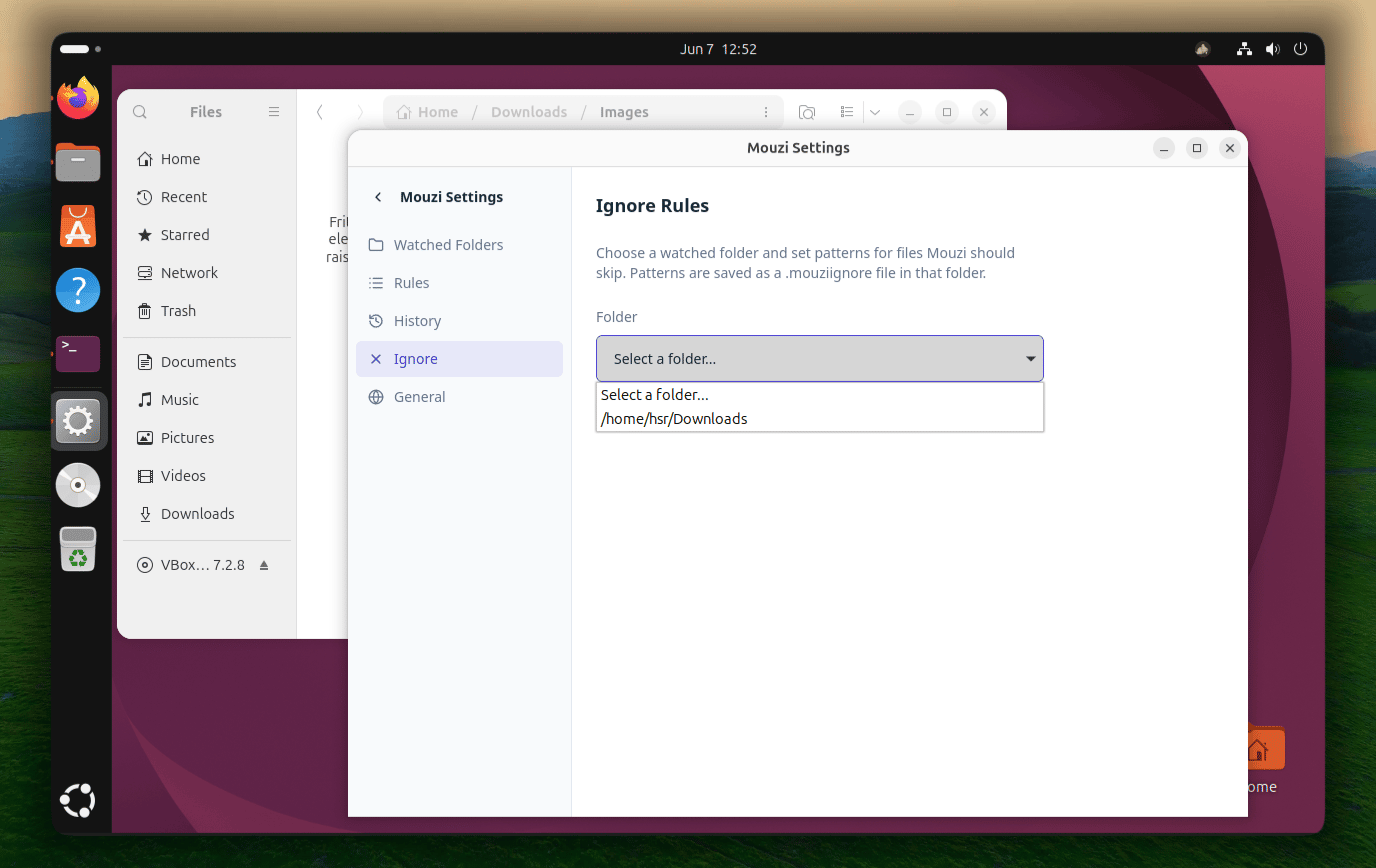
Quick update. I've just add:
- .mouziignore - per-folder ignore rules, just like .gitignore. Set them up in Settings - Ignore or write the file manually. Supports wildcards (*.tmp), exact names (.DS_Store), and folders (node_modules/).
- Portable version - no install needed. Single .exe, download and run. Leaves no registry trace.


- Grace period + file lock check - files are never moved while being downloaded
- Single-instance guard - prevents duplicate processes & tray icons

Changes:
Default rules now use relative destinations (Images, Documents, Archives...) execute_rule resolves relative destinations against the source folder where the file appeared Added automatic database migration on startup: existing absolute rule paths are converted to relative on first launch Files dropped into C:\TEST with the "Images" rule now correctly go to C:\TEST\Images
Comment