
OrganizeInbox.email
Your AI Inbox Organizer, Running 24/7
We just introduced Smart Goal Modes in OrganizeInbox.email.
You can now choose how AI executes actions on your emails:
Manual: AI suggests actions, and you approve or reject them.
Semi-automatic: AI suggests actions first. If you don't approve them, they are automatically executed after a delay you choose.
Automatic: AI executes actions automatically, just like before.
This gives you more control and lets you start safely before giving AI full access to your inbox.


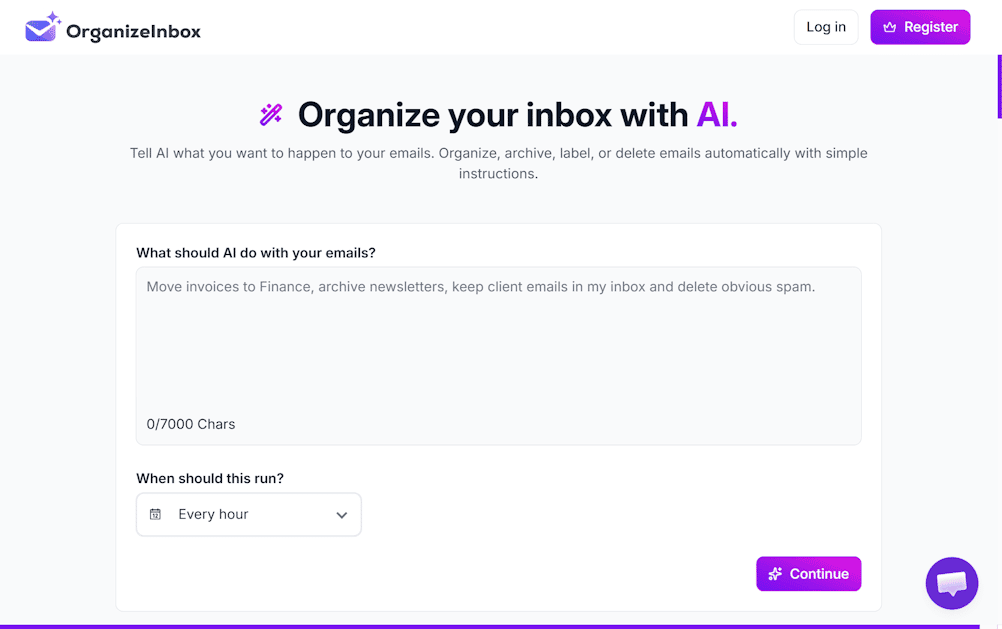
I’ve always found it strange that we have AI that can write emails, summarize documents, and generate code… but managing thousands of emails is still mostly manual.
So I decided to build something about it.
OrganizeInbox lets you tell AI what you want to do with your inbox in plain English.
For example:
"Move invoices to my Finance folder, archive newsletters, and delete obvious spam.”
The goal is simple: instead of creating dozens of complicated filters and rules, you just tell the AI what you want — and it organizes your inbox accordingly.
I’m building this as a solo founder and will be sharing the journey here: product decisions, SEO, getting the first users, mistakes, and hopefully some numbers too.
It’s still early, so I’d really love feedback:
Would you trust an AI to organize your inbox? What would you want it to do for you?
-
2The hard part seems less “can AI understand my inbox?” and more “will I let it act without checking everything?” Have early testers reached a point where they trust it to run automatically, rather than using it as a rule generator they still supervise?
-
1
Yes, exactly. In controlled conditions, it works very well. Before using it, we work with users to clearly define what they need and what actions they want the AI to take.
The bigger question is what happens when the user writes a bad or ambiguous prompt. Could that lead to unintended actions? That’s the part we’re focusing on now — building safeguards to prevent mistakes and make automation trustworthy.
-
1That trust question is the interesting part. I’d be curious to see what users actually allow it to automate. If you’re open to it, what’s the best email to reach you on?
-
-

2 Comments
The semi-automatic description gives me pause: if I miss the review window, the action happens anyway. For someone already overwhelmed by email, that could make the review queue another deadline to watch.
Could the delay apply only to actions the user has explicitly allowed, such as labeling newsletters, while deleting messages or sending replies always waits for approval? A preview of affected messages, a clear explanation of why each matched, and undo for reversible changes would help me understand what I am delegating.
One test I would run: leave a batch unattended over a weekend and ask the user on Monday whether the resulting actions match what they expected. That tests the default when attention is absent.
Disclosure: I am building Portunio, a coming-soon public AI address for clarifying incoming opportunities before the recipient decides. We face a related question about preserving recipient control. Have users asked for approval that expires into “do nothing,” as well as approval that expires into action?
Are users actually moving from Manual to Automatic as trust builds, or is the new control mainly helping them try AI without committing?