
SheetApps
Google sheet -> Beautiful Apps in seconds
My wife is a physiotherapist. She tracks her patients in Google Sheets. One evening she looked at her screen and asked: "Can it just look like an app?"
It couldn't. Google Sheets is great for storing data, terrible for presenting it. Every option I found was either too expensive (Looker, Power BI), too complex (Retool, Appsmith), or required her to learn something new.
So I started building something.
What SheetApps does
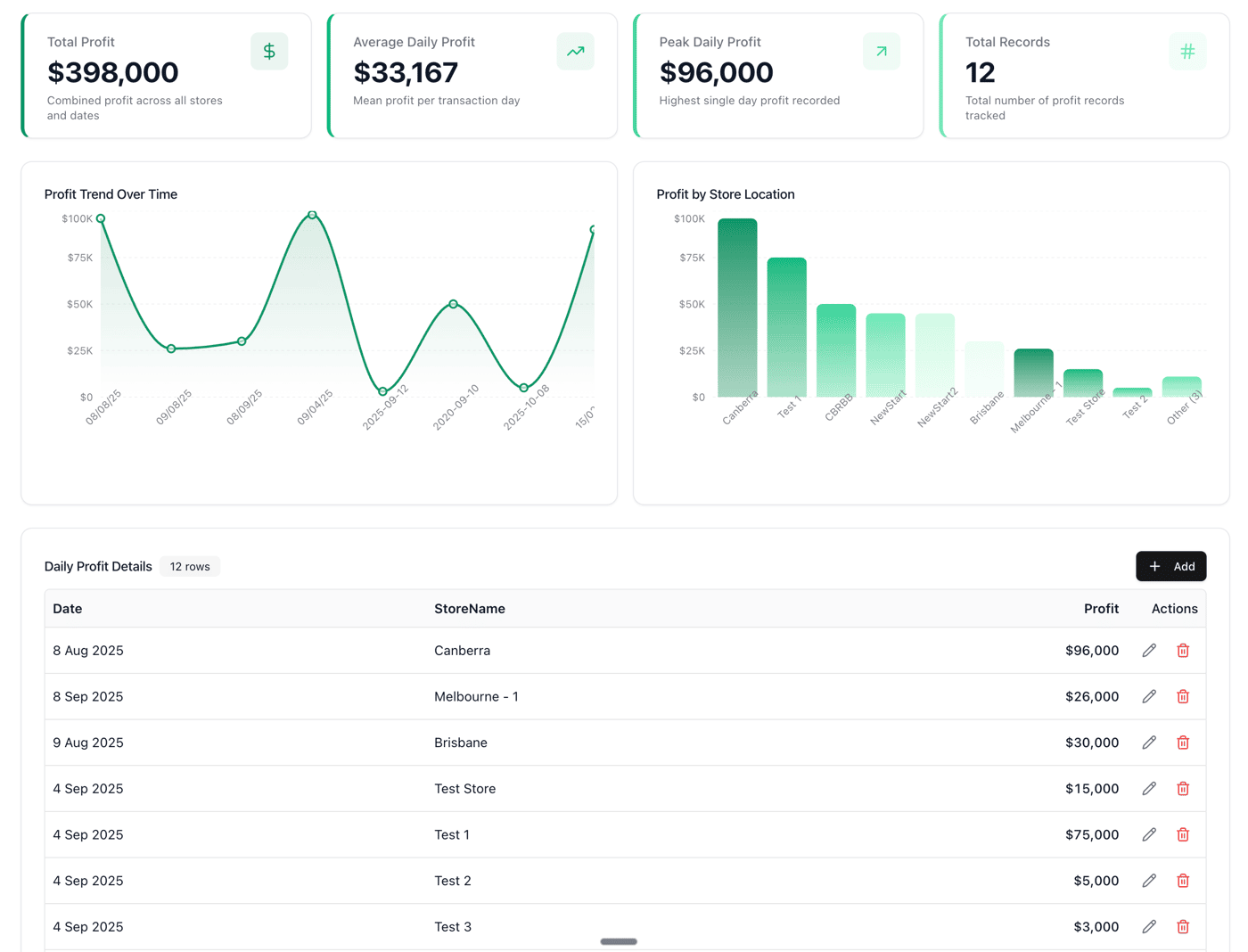
You paste a Google Sheet URL. The AI reads your column headers and types — not the actual data, just the structure. It suggests a dashboard layout: charts, tables, KPIs, filters. You can customise from there.
The whole thing runs on Next.js with the Google Sheets API. The AI is Claude Haiku doing schema analysis. Your data stays in your Google Sheet. The AI never sees it.
The simulation experiment
I don't have real users yet. So I did something a bit unusual.
I built 76 AI personas. Each has a name, age, tech comfort level, and a specific use case. A youth soccer coach tracking match stats. A bakery owner managing inventory. A teacher logging student progress. I poll them on product decisions.
This is AI simulation, not real user research. I want to be clear about that. But it's been more useful than I expected.
When I asked all 76 whether I should launch, zero said yes. Not one. 76% wanted a 3-4 week delay. The rest wanted longer. They flagged issues with the onboarding flow and the template selection that I'd missed.
They also caught a pricing mistake. I had the free tier too generous — it would have cannibalised the paid plan from day one.
Where it's at now
The core flow works. Paste a URL, get a dashboard.
What's not done: sharing and permissions, mobile responsiveness, the editing experience. I'm building those now.
I've been working on this nights and weekends for the past few months while working full-time as an AI developer at a newsroom in Canberra. No funding, no co-founder.
What I've learned so far
The problem is real. I've talked to enough people who track things in spreadsheets and then fight the spreadsheet to share it.
AI for configuration (suggesting layouts from column structure) works well. AI for data analysis (interpreting what the numbers mean) is a different problem I'm not trying to solve.
Building audience before launching is harder than building the product. I'm learning that now.
What's next
Beta access in the next few weeks. I've been posting on X (@HLSCodes) about the build process if you want to follow along.
I don't know if this will work. I've got zero real users and a simulation engine telling me to wait. But the core problem is real. People put their work in spreadsheets and then fight the spreadsheet to share it. I'm trying to fix that.

I have connected my Claude code to linear so i can now pre-plan my sprints. Why was this necessary?
In the era of being able to code at speed means theres going to be 100 ideas I want to experiment while building the product. Doing this allows me to plan out 2-3 weeks ahead and only focus on the core problem. Make all the tasks targeted for the MVP and not a hypothetical situation of 1,000 users.
I have built an AI board who govern my tasks as the CEO. The board decides on whats important and throws all the other ideas out. If i ask Claude to do something new. The board can push back and tell me its not needed.
As anyone else tried this method? Im not sure if Linear is the best tool, I cant do a calendar or Gantt chart on linear but it seemed like the only app that could easily get integrated to ClaudeCode.
Comment