
Synced Pattern Popups for WordPress
Doing Popups the WordPress way

Most popup plugins are built on a desperate lie: interrupt your visitor enough times and they’ll eventually give in.
They sell you "triggers"—exit intent, scroll depth, inactivity timers—as features. In reality, these are just different ways to guess what a user wants. And when you guess wrong, you don't get a lead; you get a "close" click and a bruised brand reputation.
Synced Pattern Popups was built for the site owner who trusts their content. We’ve stripped away the behavioral guesswork to focus on the only metric that actually matters: Intent.
Intent is the ultimate filter
Popups built with Synced Pattern Popups are triggered manually by the visitor. Because a click is a signal of consent. It transforms a popup from an annoying obstacle into an ask for more detail.
By removing the "ambush," Synced Pattern Popups push a higher standard for your content. If it’s not worth clicking for, it’s not worth showing.
Built for the Modern WordPress Stack
Most popup builders force you to step out of your workflow and into a bespoke, clunky UI. They demand you learn their proprietary systems, their unique design quirks, and their specific "builders" that live outside of WordPress logic. It’s like learning a whole new software just to add a single feature to your site.
Synced Pattern Popups respects your expertise. It lets you build exactly how you already know how: with the native Block Editor.
🧱 100% Native Architecture: Your popups are Synced Patterns. No parallel builders, no proprietary styling engines, no bloat.
🔌 Zero Integration Friction: If it’s a block, it works. Forms, videos, or third-party embeds—if you can drop it on a page, you can put it in a popup.
♿ Radical Accessibility: Inclusion isn't an afterthought. Our modals feature rock-solid focus trapping, full keyboard support, and screen-reader optimization out of the box. You don't have to "fix" your popups for compliance; they’re born ready.
🔄 Global Updates, Zero Effort: Edit your Synced Pattern once, and every instance—across your pages and inside your popups—updates instantly.
🖼️ Media-First Popups: Full support for the Core Gallery block. Stop settling for static images; give your visitors the high-fidelity experience they asked for.
⌘ Built into your Workflow: With Command Palette integration, managing your popups is as fast as typing a shortcut.
The Power of "No"
Other popup plugins sell you a "Swiss Army Knife" of triggers to compensate for the fact that their popups are intrusive and technically fragile. They offer more rules and more conditions because their product lives outside your site’s natural flow—often breaking accessibility and performance in the process.
Leave the Ambush Behind
Your website shouldn’t feel like an obstacle course. It should feel like a destination.
By choosing Synced Pattern Popups, you’re making a statement about how you value your visitors' time and your site’s integrity. You’re trading "trickery" for "intent" and "bloat" for "performance."
Stop fighting against your own WordPress theme. Stop apologizing for intrusive overlays. In just a few seconds, you can deploy popups that are as effective as they are respectful—fully accessible, natively integrated, and built to convert.
Synced Pattern Popups helps you create popups using the WordPress editor you already know, not yet another builder. Download and install here: https://wordpress.org/plugins/synced-pattern-popups/
Start creating intent-driven, accessible popups in seconds. The ambush ends today.

This plugin is simple initiative to use and does exactly what it says. Best yet it uses completly native block editor components and doesn’t try to reinvent the wheel. Instead it gives you the simplest approach for setting up a button/link triggered popup. Blessedly it also looks like its accessible ( though I haven’t tested that part).
~ Patrick Boehner, a 5-star reviewer on WordPress.org
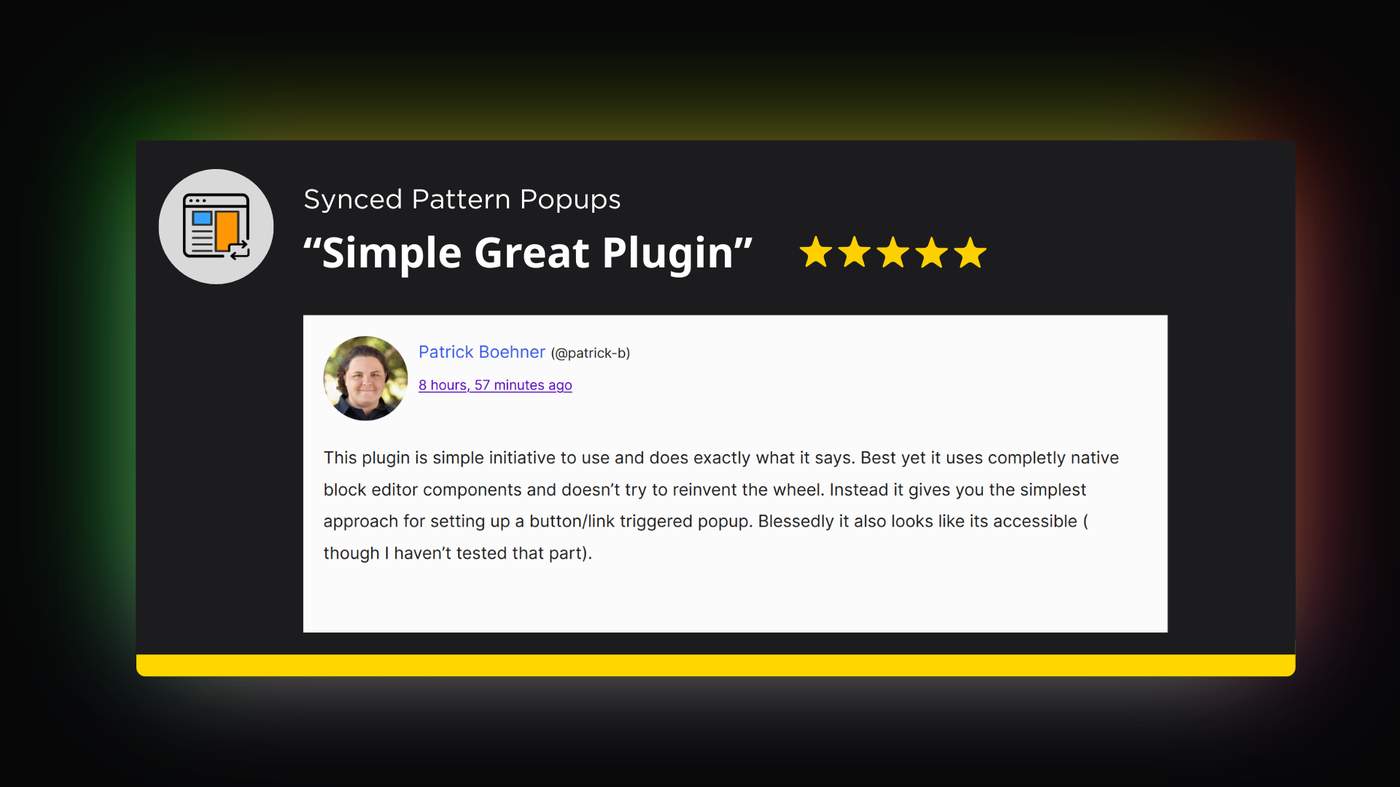
Nothing beats the feeling of that very first 5-star review of your product. And it's amazing to hear users say exactly the value it brings to them. Patrick highlighted two of the most core value-adds I hoped to bring with this plugin:
Doesn't reinvent the wheel and uses Core blocks instead
"Looks" accessible
Those are his words, not mine! Which is a blessing.
Read the full review and my reply here: https://wordpress.org/support/topic/simple-great-plugin-23/
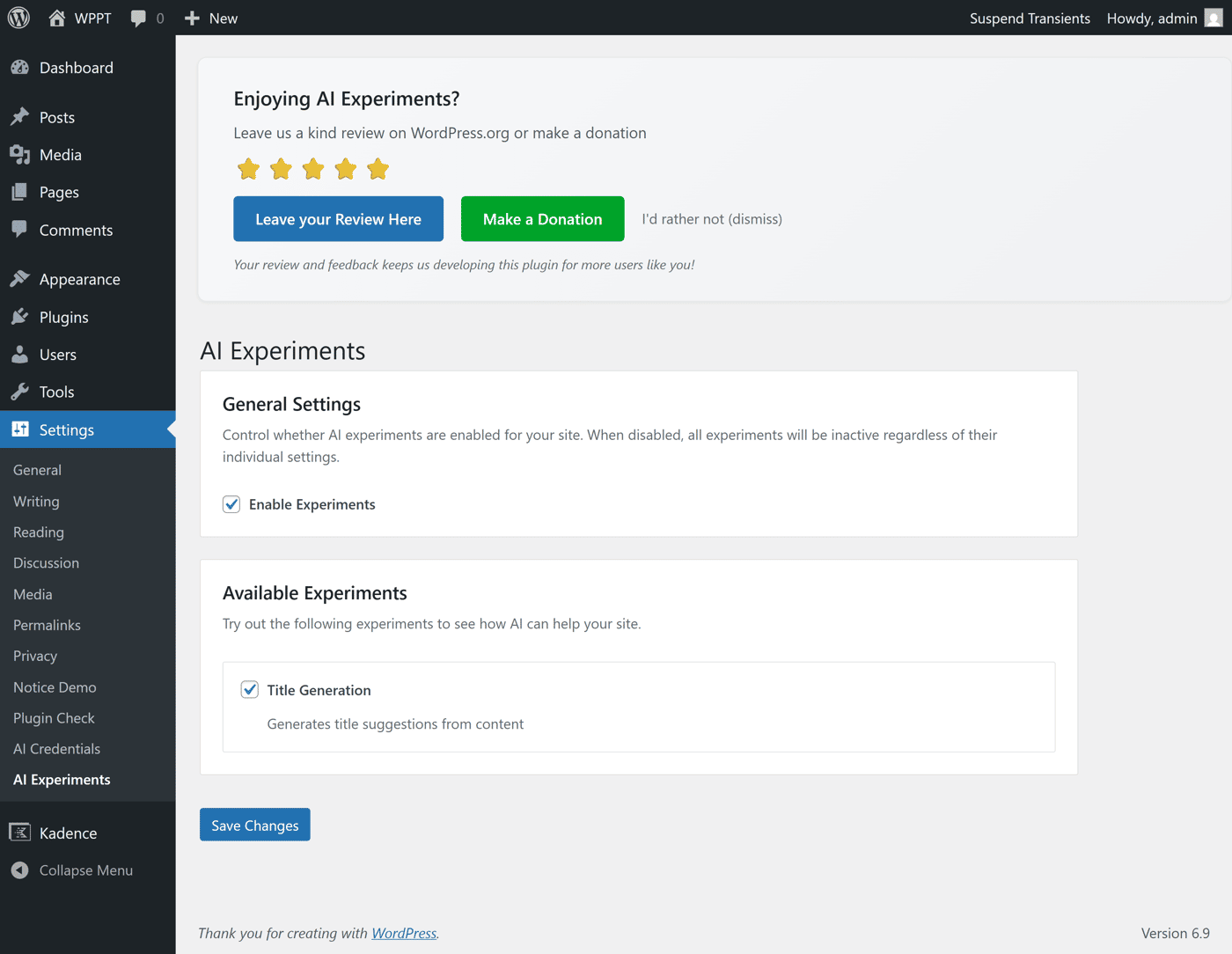
While building Synced Pattern Popups, I ended up revisiting a small but important piece of infrastructure I use across freemium WordPress plugins: delayed in-admin notices.
The old implementation had grown brittle over time, and the new product work made those limits obvious. So I rebuilt it from scratch. The goal was a clean, reusable pattern for in-admin messages that respects timing, context, and user intent, especially for things like review prompts in freemium products.
I now ship this rebuilt pattern in all my freemium plugins, including Synced Pattern Popups, and documented the reasoning, tradeoffs, and implementation details here:
https://www.mattcromwell.com/rebuilt-delayed-admin-notice-freemium-plugins/
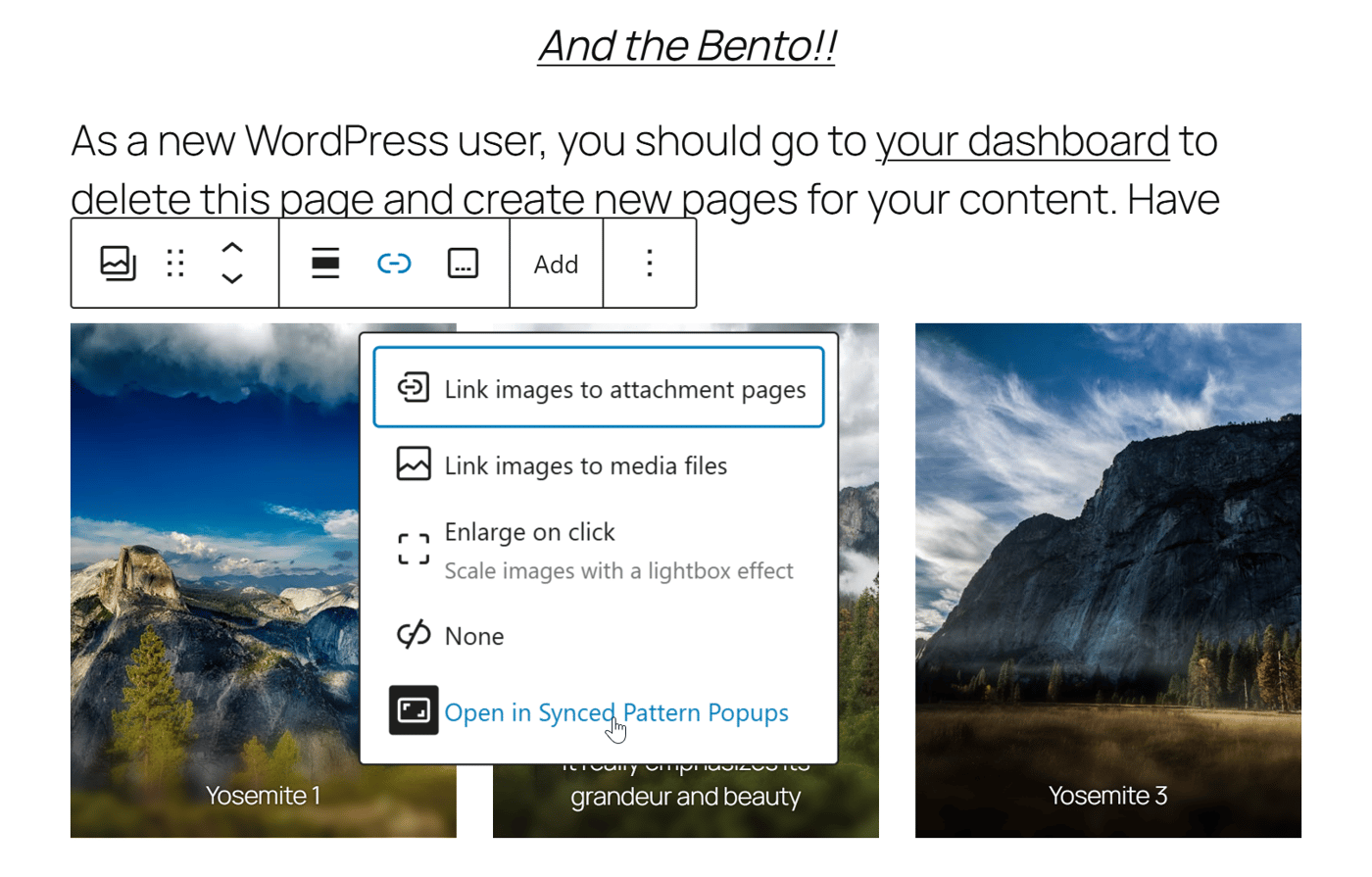
When it comes to images in blog posts or online documentation, a lightbox can be super useful. It's hard to get all the best detailed information into a small screenshot. Allowing readers to open the image without losing focus of their reading experience is invaluable.
I was thrilled when the Block editor finally shipped a lightbox with its gallery and image features. But it's lackluster. Specifically:
It takes over the whole screen which can be disorienting
It doesn't allow you to navigate between images within a gallery at all
It doesn't display your image captions with the image at all
While the Gallery block is not a Synced Pattern; I felt like I can solve a problem I've always been bothered by. So… coming in the next release of Synced Pattern Popups:
The pain point I hear from plugin authors more than anything lately is "discoverability." It's not a new problem, but this new AI-driven landscape complicates it a bunch.
A while back I saw this LinkedIn post by Rand Fishkin. It revisits an old-school idea: brand mentions. Specifically, mentioning your brand right next to the same words everywhere on the web you can. And those words should be the pain point you solve. That tactic feels very relevant again because of how ChatGPT and other LLMs learn from public conversations.
People are trying to stop saying SEO and start saying things like AEO, LLMO…The term that makes the most sense to me is "Discovery Optimization"
Discovery doesn’t just happen in search results. It happens in forums, communities, product pages, and word of mouth. That’s how humans find things, and increasingly how AI does too.
So! I’m running a small experiment with my new free plugin: Synced Pattern Popups. I’m sharing the exact same clear value statement in as many credible, free places as I can. No rewriting per platform. Just clarity and consistency.
This is the line I’m using everywhere:
“Synced Pattern Popups helps you create popups using the WordPress editor you already know, not yet another builder.”
I hear this constantly from plugin authors: “I shipped my free plugin, but I’ve been stuck under 10 active installs for months. What now?”
I’ve got plenty of theories, but nothing beats hands-on experience. So I’m testing this in public and seeing what actually moves the needle in this AI-shaped environment we all inherited.
Wish me luck! I'll add links in the comments below.
Synced Pattern Popups helps you create popups using the WordPress editor you already know, not yet another builder.
I got the plugin approved on wordpress.org early last week. I've been a little sick lately, but got the blog announcement launched.
The article goes into all the small product decisions I made to make this a product and not just a vibe-coded snippet. Worth a read!
https://www.mattcromwell.com/product-thinking-synced-pattern-popups/
Comment